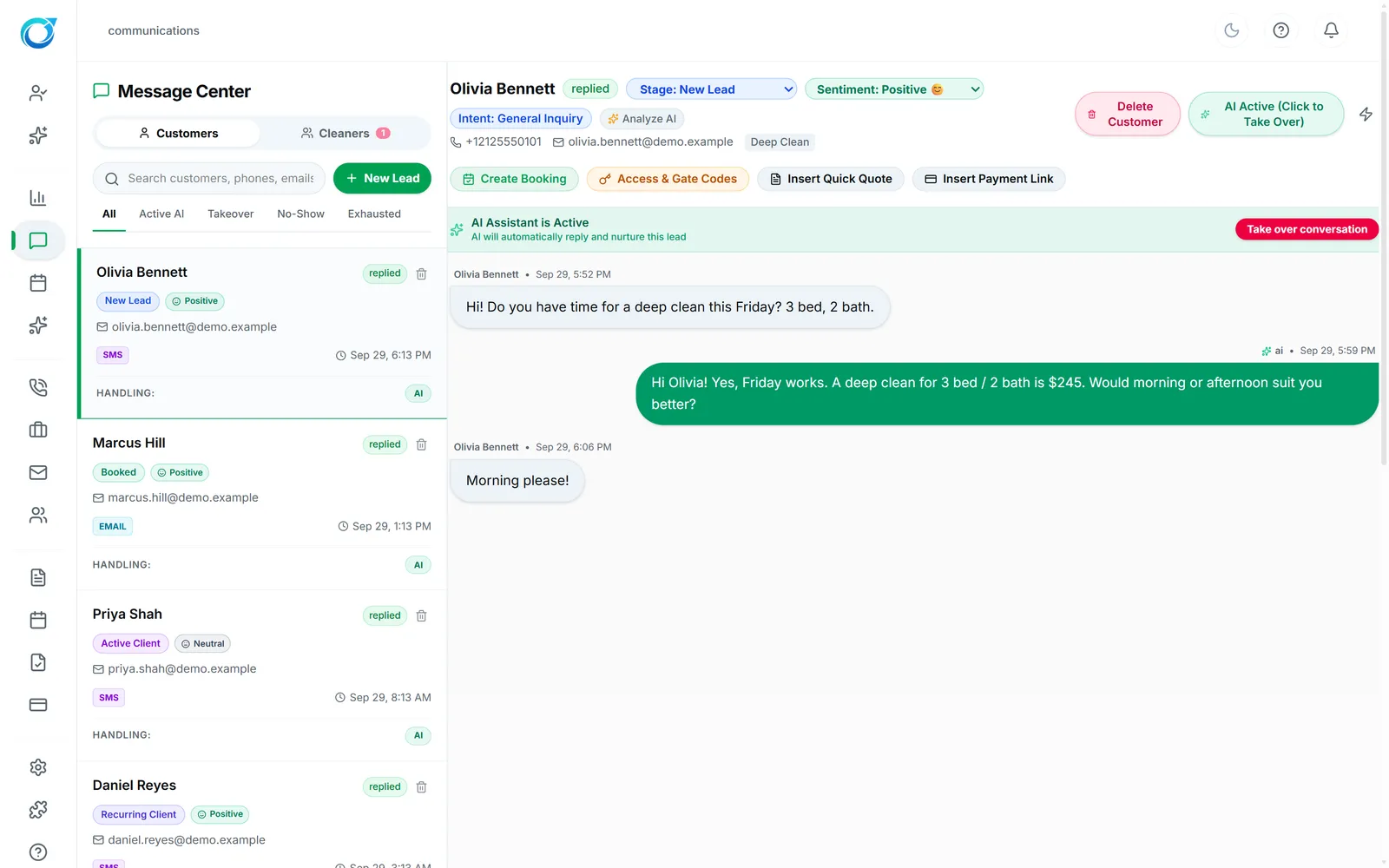
Olivia texts your business.
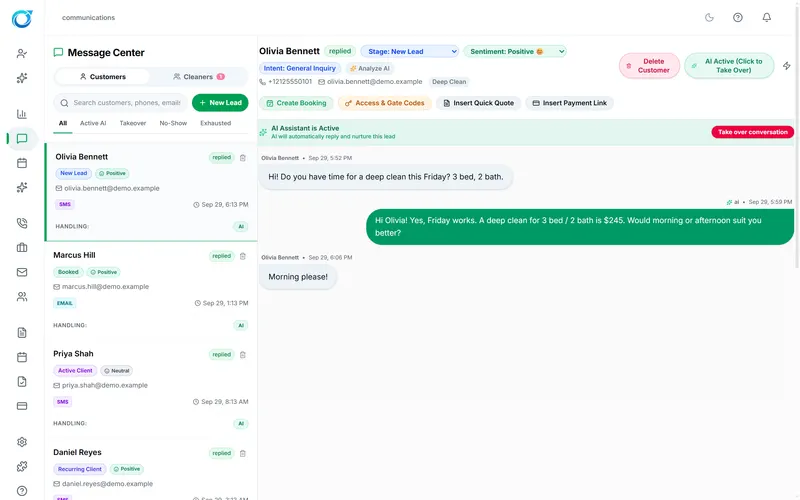
“Hi! Do you have time for a deep clean this Friday? 3 bed, 2 bath.” The AI assistant answers right away with a price from your own rules, and your team can take over the conversation at any time.
Cycle Leads CRM is the all-in-one CRM and booking software for cleaning companies. It answers new leads by text and phone, quotes from your own prices, books the job, sends it to the right cleaner and collects payment, so fewer customers slip away while your team is busy cleaning.
Free trial on every plan · No card needed to start · Your team stays in control
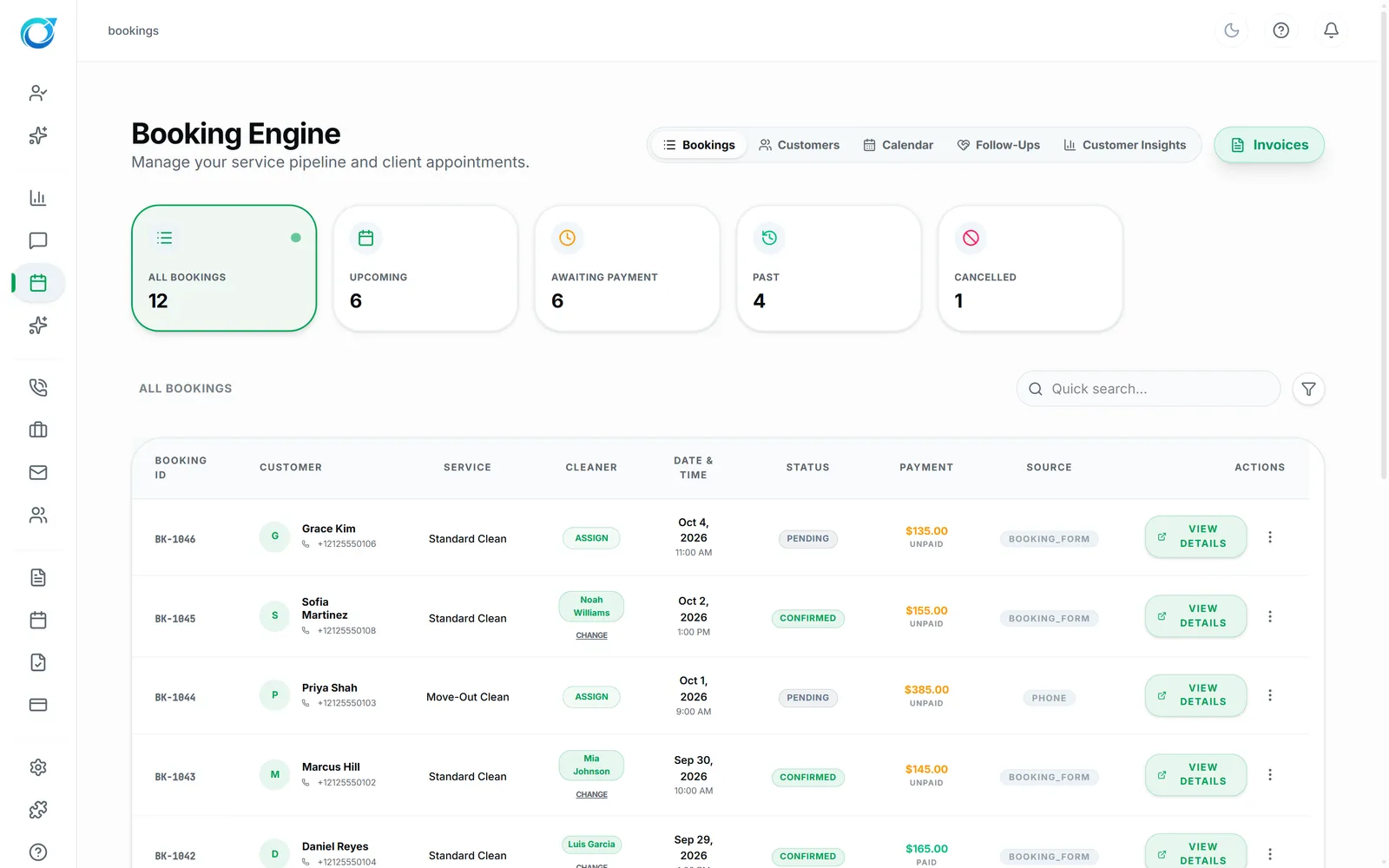
Scroll through one customer’s journey. Every screen is the real Cycle Leads app, shown with a demo business and a fictional customer, Olivia Bennett.
“Hi! Do you have time for a deep clean this Friday? 3 bed, 2 bath.” The AI assistant answers right away with a price from your own rules, and your team can take over the conversation at any time.
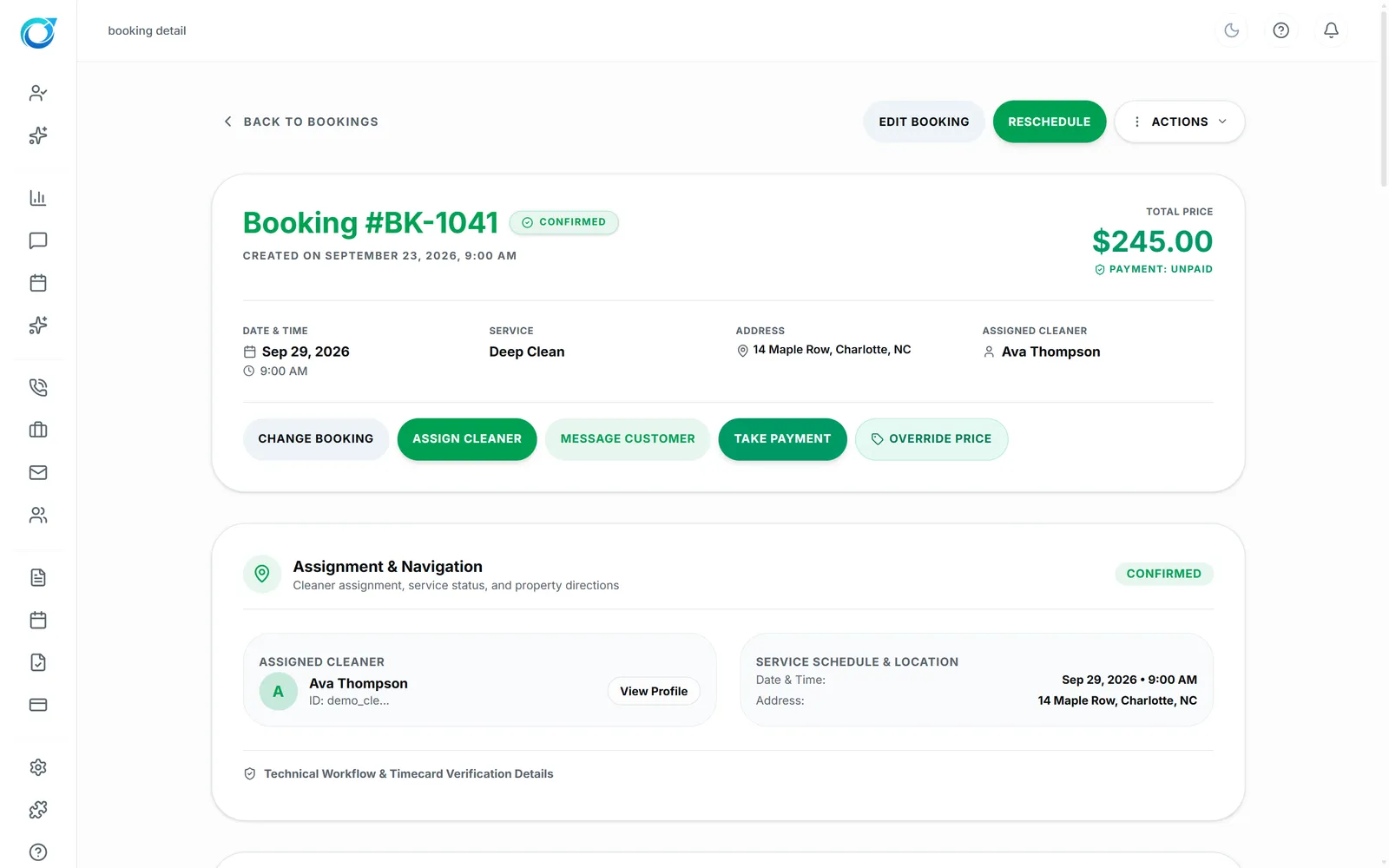
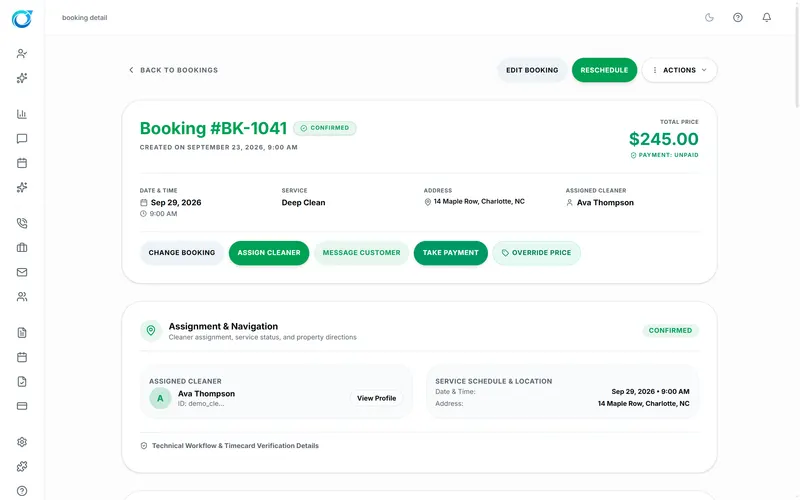
The request becomes Booking #BK-1041: Deep Clean at 14 Maple Row, $245, with Reschedule, Assign Cleaner, Message Customer and Take Payment one click away.
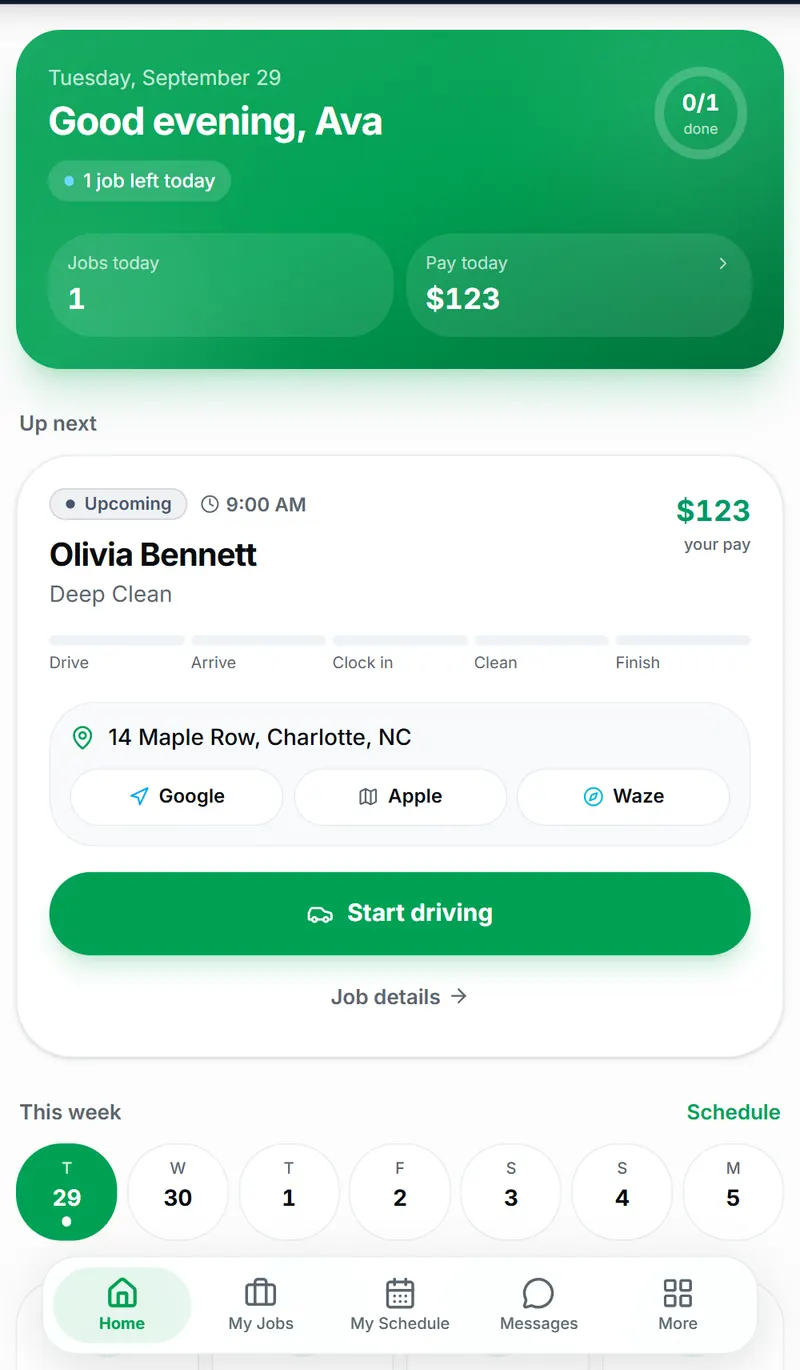
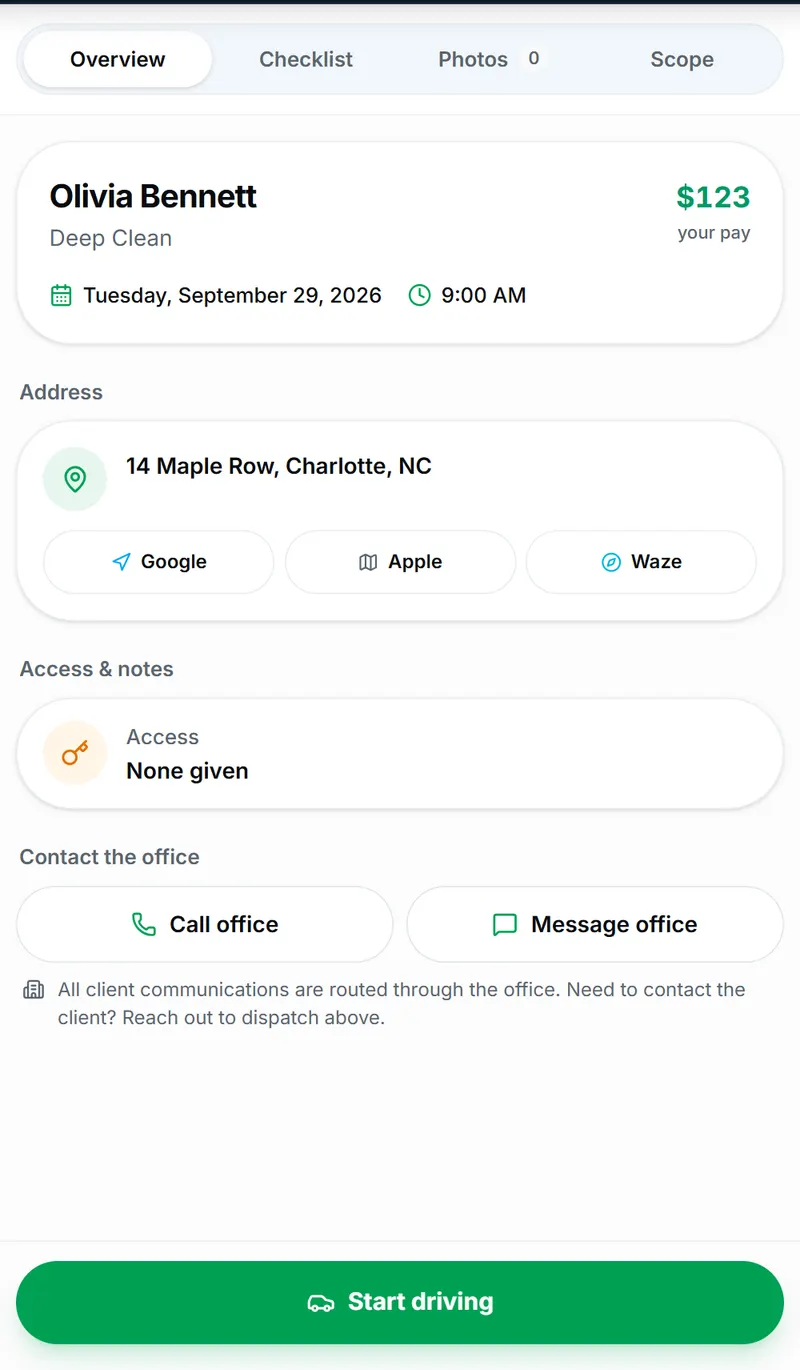
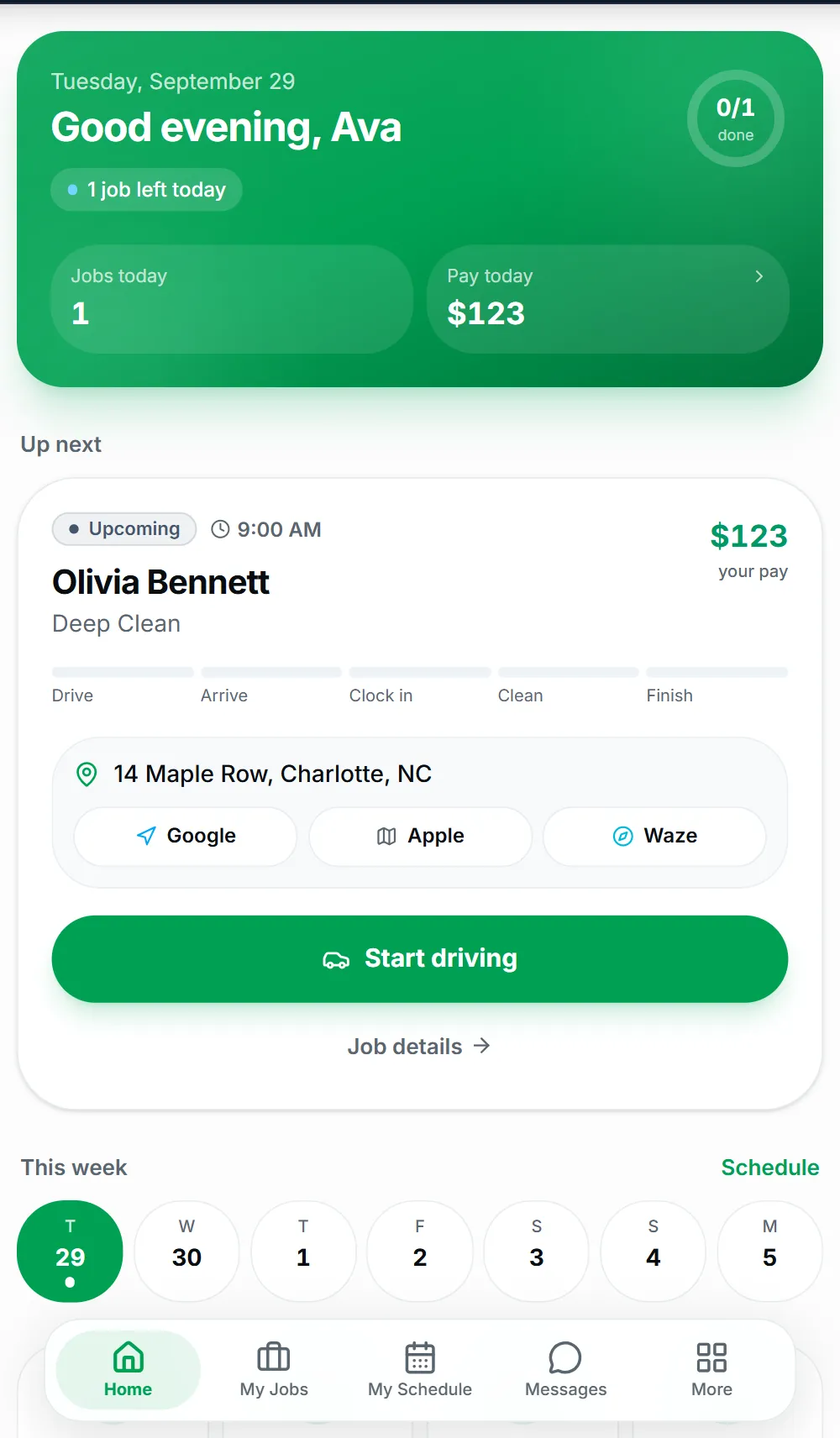
Olivia’s clean appears in Ava’s Cleaner Portal with the address, her pay for the job and one-tap directions. Start driving tells the office she’s on the way.
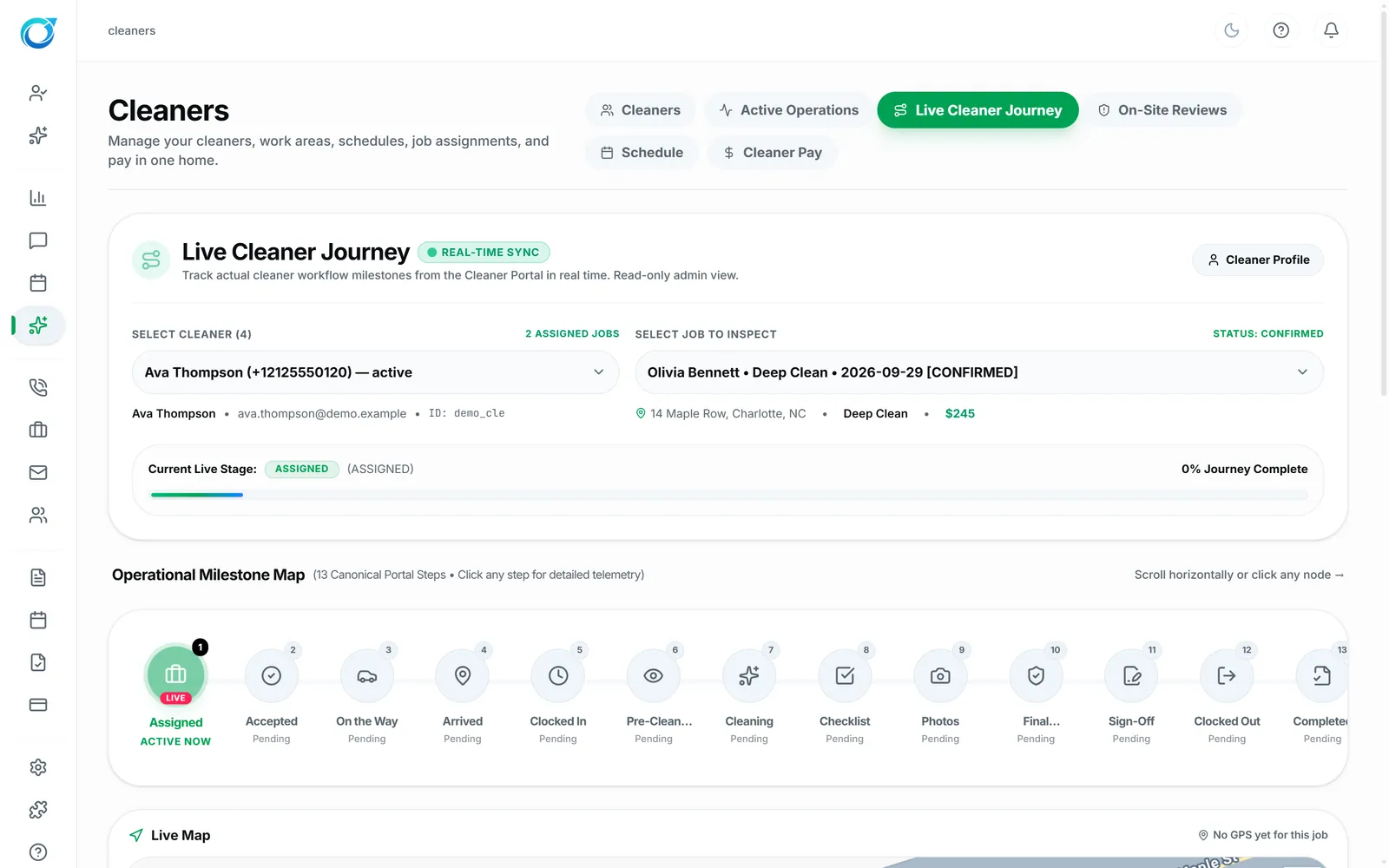
The Live Cleaner Journey tracks each milestone: assigned, accepted, on the way, arrived, checked in, cleaning, checklist, photos, sign-off and check-out.
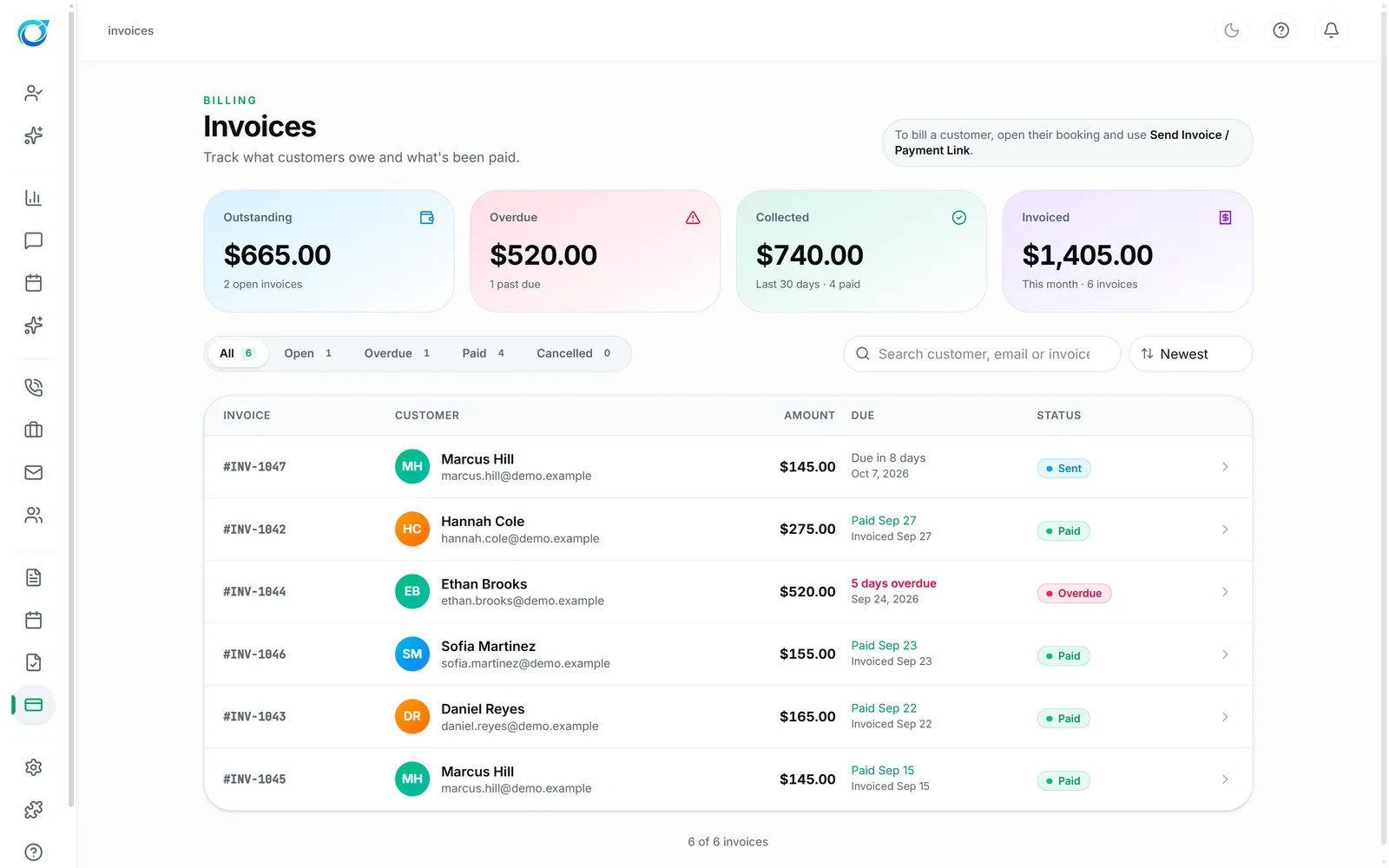
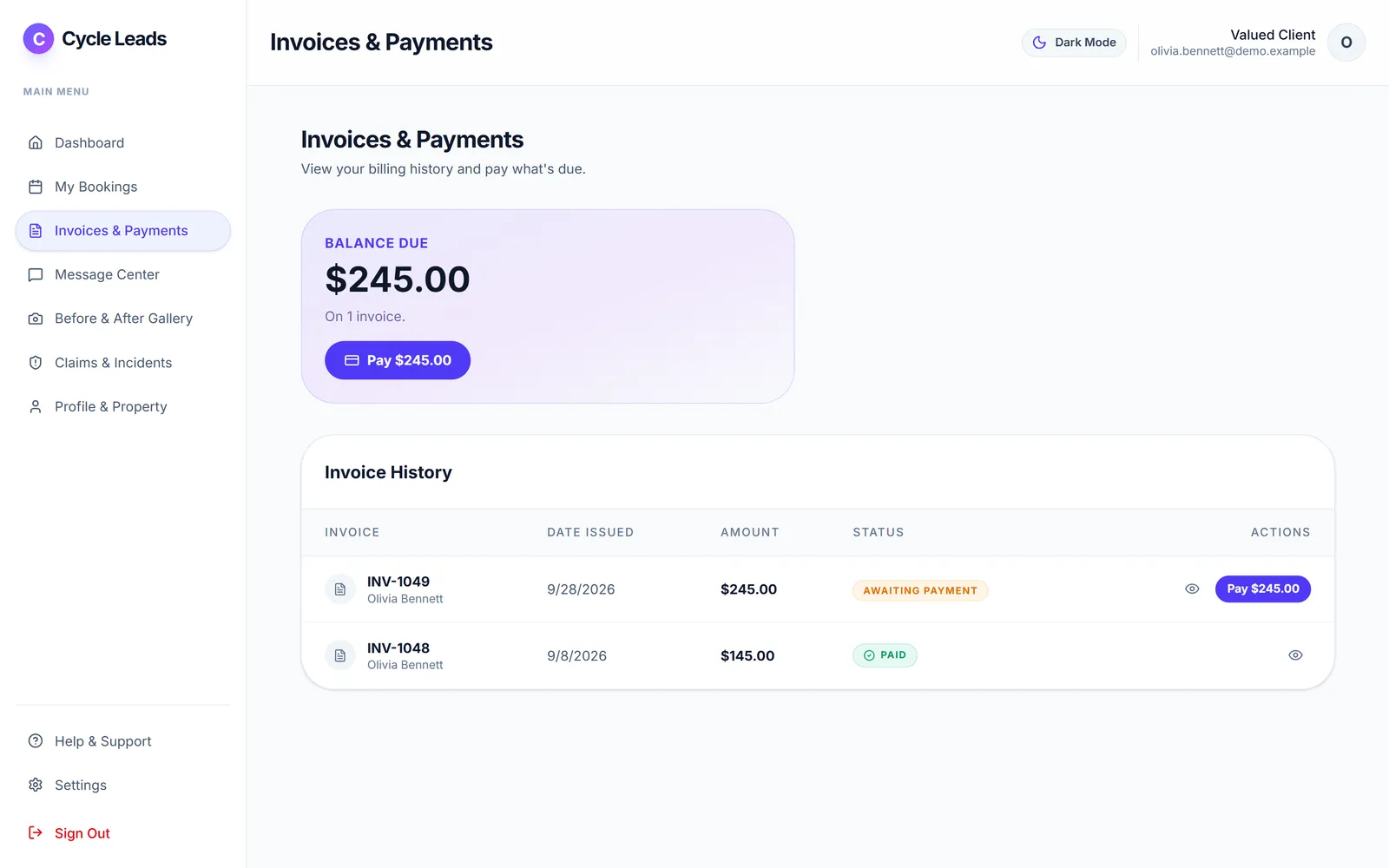
Invoice INV-1049 for $245 is waiting in her Client Portal with a Pay button, next to her invoice history. Your team sees it land in Invoices.
Whether you run a two-person maid service, a deep-clean and move-out company, an Airbnb turnover team or a commercial cleaning crew, everyone sees exactly what they need, and nothing they don’t.
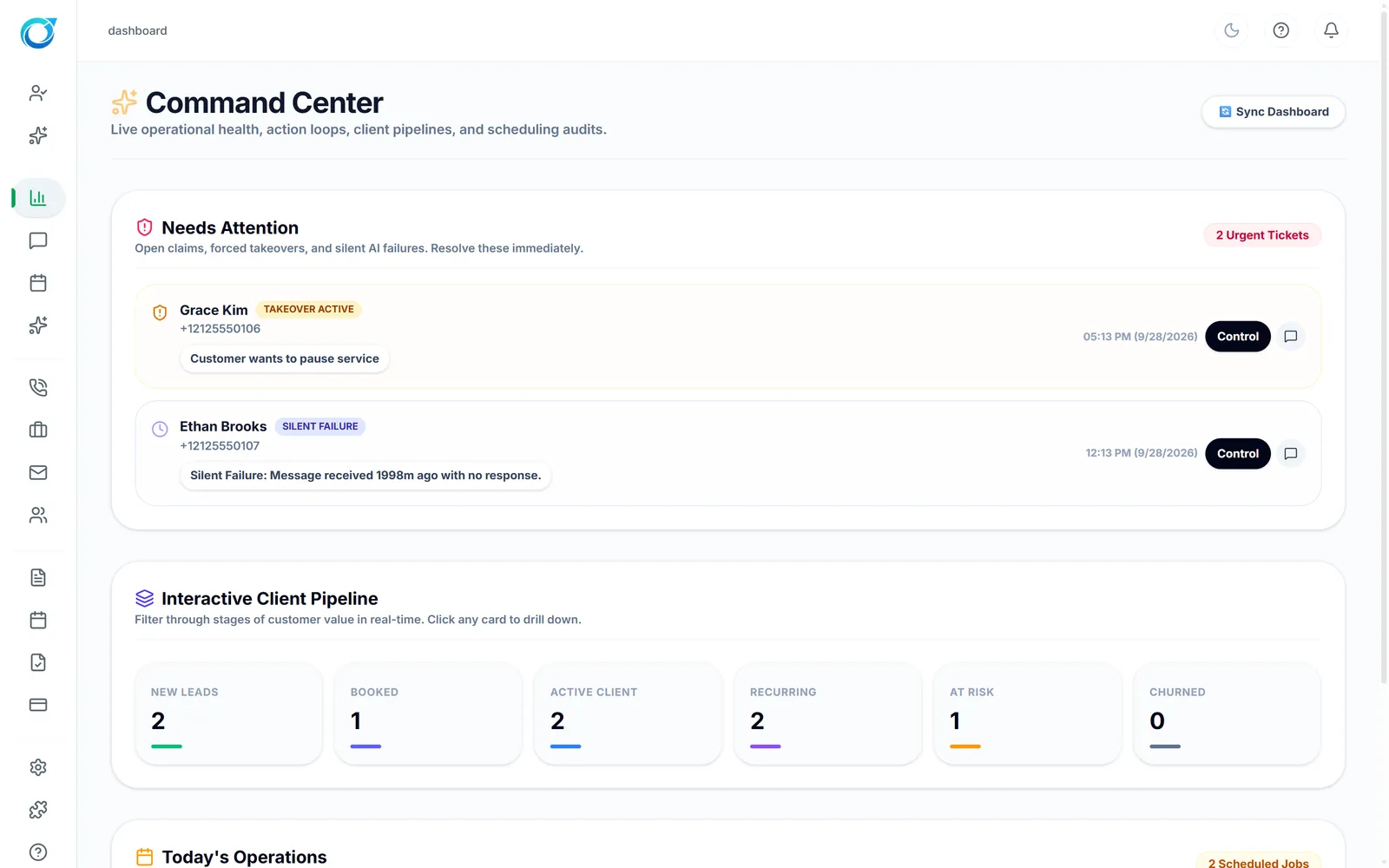
Start the day with what needs attention, today’s jobs and every customer’s place in the pipeline. Know which leads were answered, what was booked and what was paid, without piecing together five apps.
Explore the lead flowAnswer customers from one inbox, move a booking in a few clicks, and get every job covered by offering it to the right cleaners. Reschedules and cancellations follow the policy you set.
See the handoffJobs, schedule, messages and pay live in the Cleaner Portal on their phone. They accept offers, follow the checklist, add before and after photos and check in at each visit.
See the Cleaner PortalThe cleaning company that answers first usually wins the job. These are the moves Cycle Leads makes for you at every stage. Set them up once in the Configuration Center, and they run every day while your team stays in control.
Voice AI, texting and payments run once their connections are set up on the Integrations screen. Every automation can be switched on or off.
Six tools carry a cleaning company from the first text to the paid invoice: answer, book, dispatch, clean, get paid. They are 6 of the 20 tools that share one login. Open any one for a real screen and a step-by-step walkthrough, or see all 20 in the Platform menu at the top.
Customer texts and cleaner chats in one inbox. The AI assistant can reply and follow up for you, and anyone on the team can take over a conversation, add an internal note, or drop in a quote or payment link.
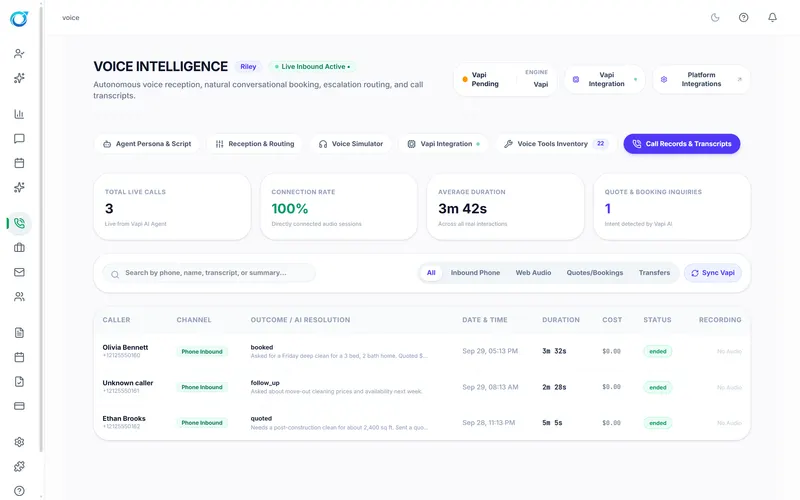
Your phone gets answered even mid-clean. The voice agent greets callers as your business, gathers the service, address and home details, and leaves your team a call summary to follow up.
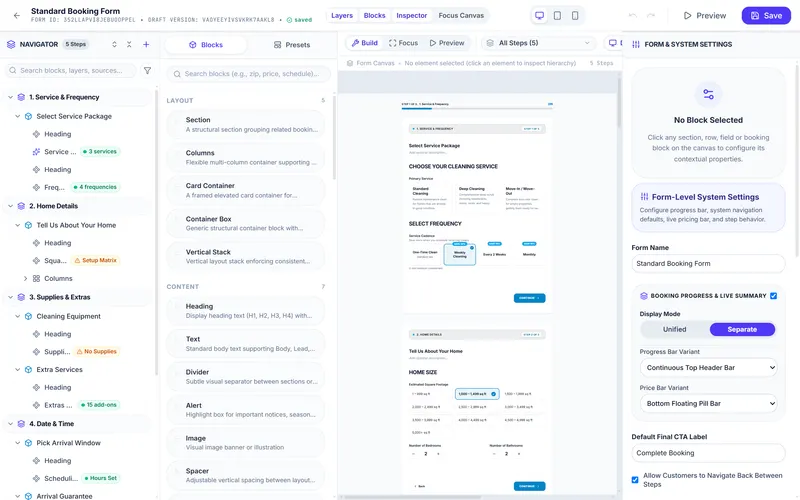
Put a booking form on your website, Google Business Profile or social pages. Customers choose the service, enter their home details, see a price from your rules and pick an open time, day or night.
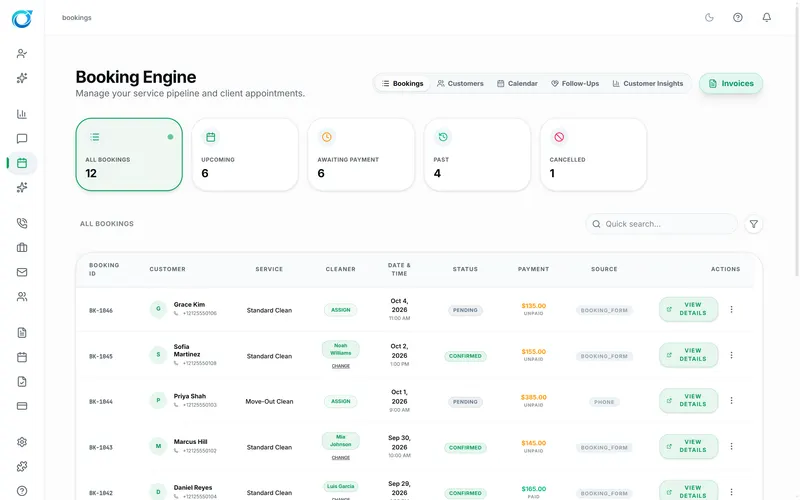
See every booking by status, payment and source, then get it covered. Pick the cleaner yourself, offer the job to every eligible cleaner, or rotate offers one at a time. Only cleaners who are active, free and serve the ZIP are offered it.
Cleaners get their jobs, schedule, messages and pay on their phone. They accept job offers, follow the room-by-room checklist, add before and after photos, collect the customer's signature and clock out.
Connect your own Stripe account to take card payments from bookings, invoices and payment links, and let customers pay from their portal. Google Local Services Ads is coming soon.
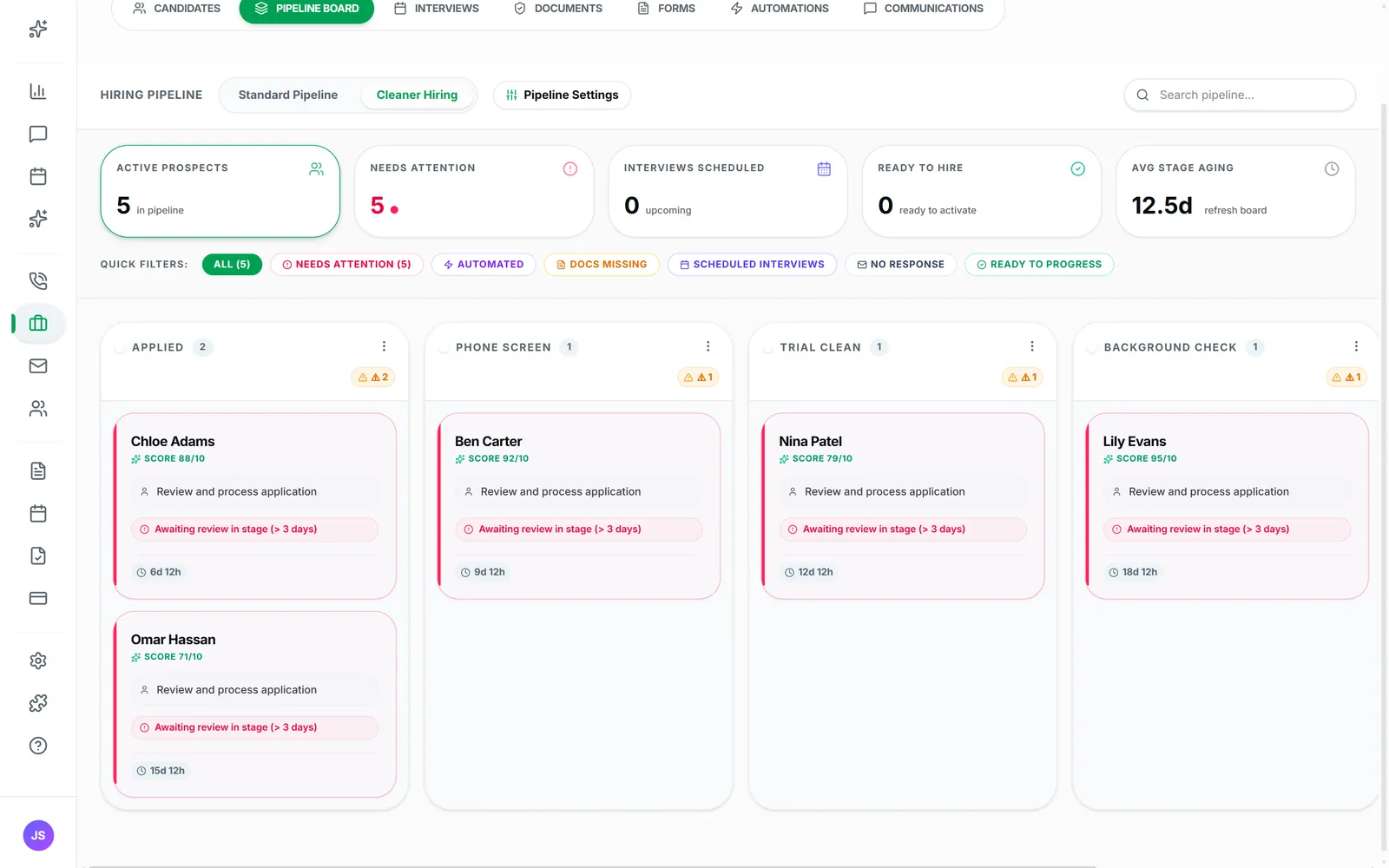
The story above follows one customer. This is what your office sees: every lead and job on one board, moving from first message to paid while Cycle Leads handles the busywork. Tap a stage to see what happens there, and what’s left for your team.
Example board with fictional customers. Texting, voice and payments run once their connections are set up.
Good customer experiences begin with timely replies, clear details, and a team that knows what happens next. These illustrative stories show the kind of day Cycle Leads is designed to help create.
Having inquiries and conversations in one place makes the day feel easier to manage.
I want the conversation and booking details close together. This layout makes that feel possible.
It feels easier to hand a booking to the team when the details are already together.
Everything cleaning business owners ask before they switch: who it’s for, how the AI works, how customers book and pay, and how your cleaners get their jobs. Still unsure? Email us and a real person will answer.
Cleaning businesses of every size: house cleaning and maid services, deep-clean and move-in/move-out specialists, Airbnb and vacation-rental turnover teams, and commercial and office cleaning companies. It works for an owner who still cleans on weekdays and for an office running several crews.
It is built around cleaning jobs, not generic deals. Prices come from your services, bedrooms, bathrooms, add-ons and recurring frequency. Bookings carry the address, access notes and checklist. Cleaners get their own phone portal, and cleaner pay, job offers and GPS check-in are part of the same workspace.
Yes. The AI assistant in Message Center replies to customer texts using your services and prices, and the Voice AI receptionist can answer calls and leave your team a summary. Anyone on your team can take over a conversation at any time, and you choose which AI features are switched on.
Share your booking form on your website, Google Business Profile or social pages. Customers choose a service, enter their home details, see a price from your rules and pick a time. Deposits and card payments go through your own Stripe account, and customers can view invoices and pay from their Client Portal.
Offer a job to every eligible cleaner (active, free at that time and serving that ZIP code), rotate offers one at a time, or assign someone yourself. Cleaners accept on their phone, follow the room-by-room checklist, add before and after photos, and clock out. Their pay is calculated from the pay plan you set.
Yes. Every plan starts with a free trial, and you do not need a card to start. You can set up your services, prices and booking form during the trial and upgrade when you are ready.
Stripe for card payments, Twilio for texts and calls, Resend for email, Bland AI for the AI phone receptionist, Google Gemini for AI and Google Maps for addresses and check-in. The Integrations screen shows whether each connection is working. Lead-source connections such as Google Local Services Ads are coming soon.
Yes. Invite office staff by email and set access module by module, from No Access to Full Admin. Cleaners only see their own jobs, schedule, messages and pay in the Cleaner Portal.
Start your free trial, add your services and prices, and share your booking link. Cycle Leads handles the replies, the quotes, the reminders and the handoff to your crew, so you can get back to the work that pays.