Fewer "where are you?" calls
The office can see where each visit stands without phoning the cleaner.
Cleaners start driving, clock in and clock out from their phone, with directions in Google, Apple or Waze. The office follows each visit milestone by milestone in the Live Cleaner Journey.
Real screens from the Cycle Leads app, shown with a demo business.
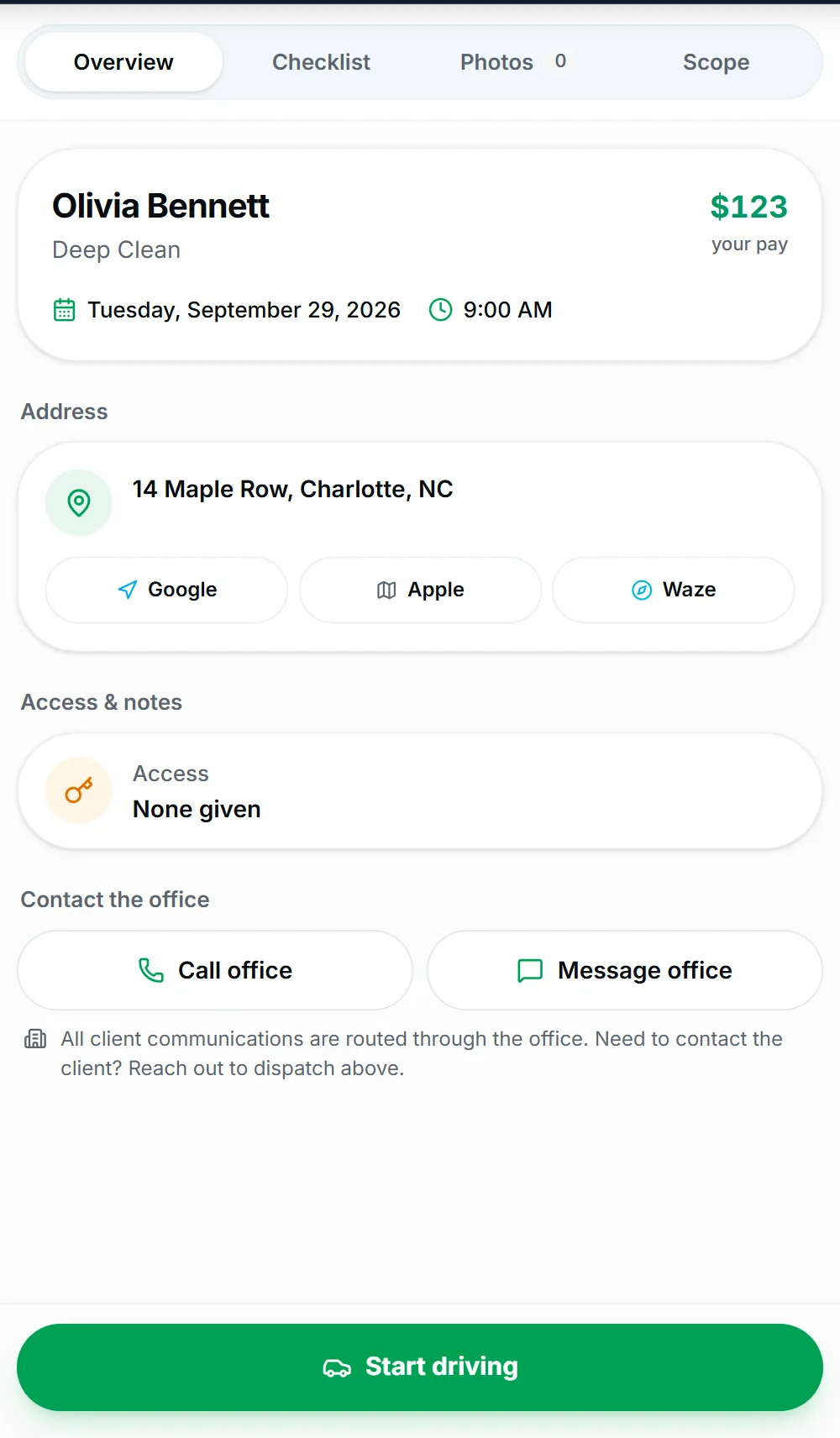
Select a step to see that part of the app.
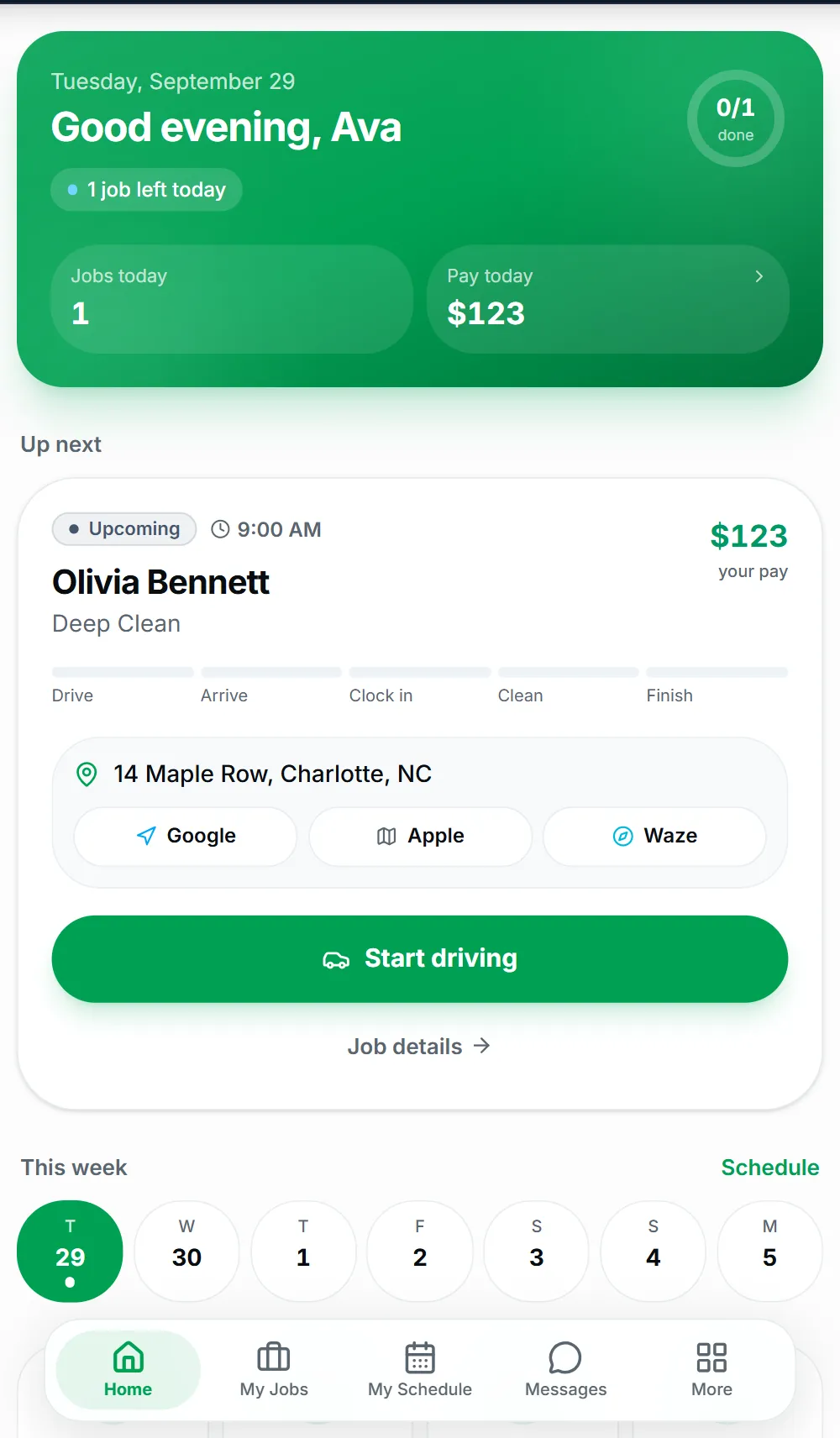
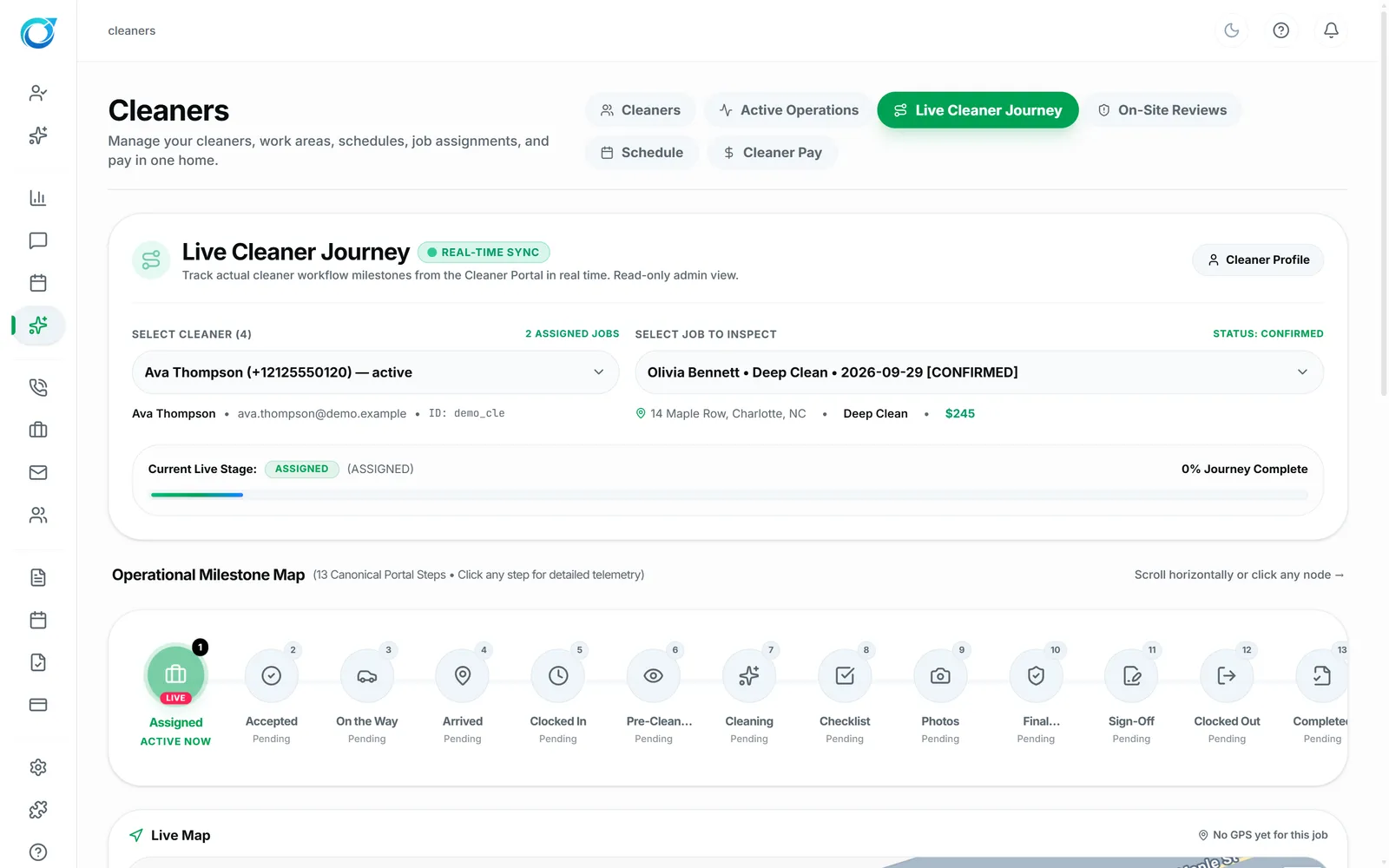
Dispatchers spend their mornings texting “are you there yet?”. With Cycle Leads, cleaners tap Start driving, get directions in Google, Apple or Waze, then clock in and clock out from their phone. The office follows each visit in the Live Cleaner Journey, from Assigned and On the Way to Checked Out and Complete.
Clock times, the room-by-room checklist, before and after photos and the customer signature are all saved with the job. That gives you proof of the visit if a customer has a question, and accurate hours for cleaner pay. Location is shared only during an active job, never all day.
The office can see where each visit stands without phoning the cleaner.
Clock-in, clock-out, photos and the customer signature are kept with the job.
Location is shared during an active job, not all day.
Location sharing needs the cleaner's permission on their phone.
Click a screen to enlarge it.
Yes. The Live Cleaner Journey shows each milestone of the visit, including On the Way, Arrived, Checked In and Checked Out.
No. Clock in and clock out are in the Cleaner Portal on their phone, along with the checklist and photos.
No. Location is shared during an active job, and it needs the cleaner’s permission on their phone.
Every plan starts with a free trial. Set up your workspace, add your services and see your first leads come in. No card needed to start.