Three ways to assign
Direct, Broadcast to eligible cleaners, or Round Robin one at a time.
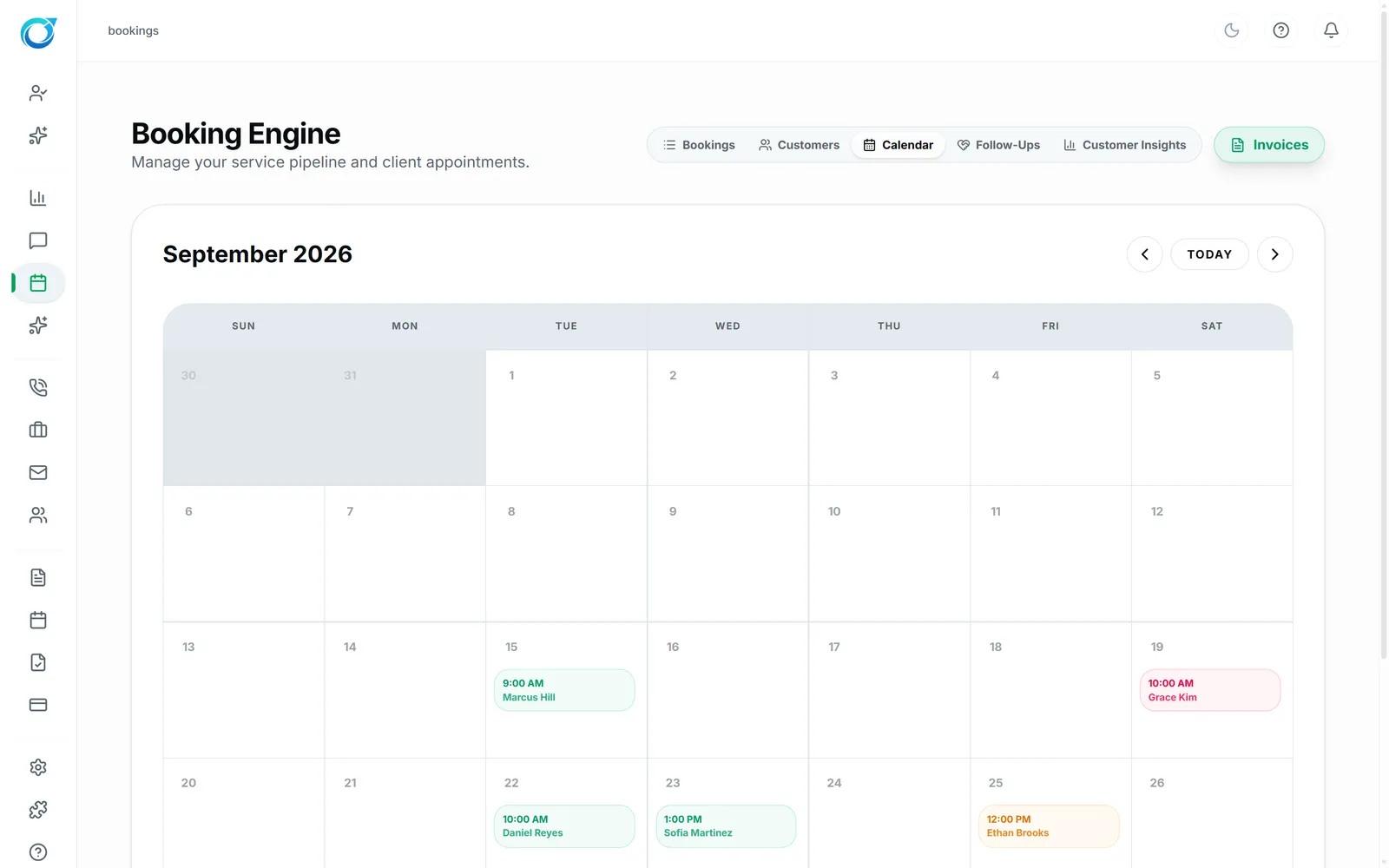
See every booking by status, payment and source, in a list or on the calendar. Assign the cleaner yourself, or offer the job to eligible cleaners automatically.
Real screens from the Cycle Leads app, shown with a demo business.
Select a step to see that part of the app.
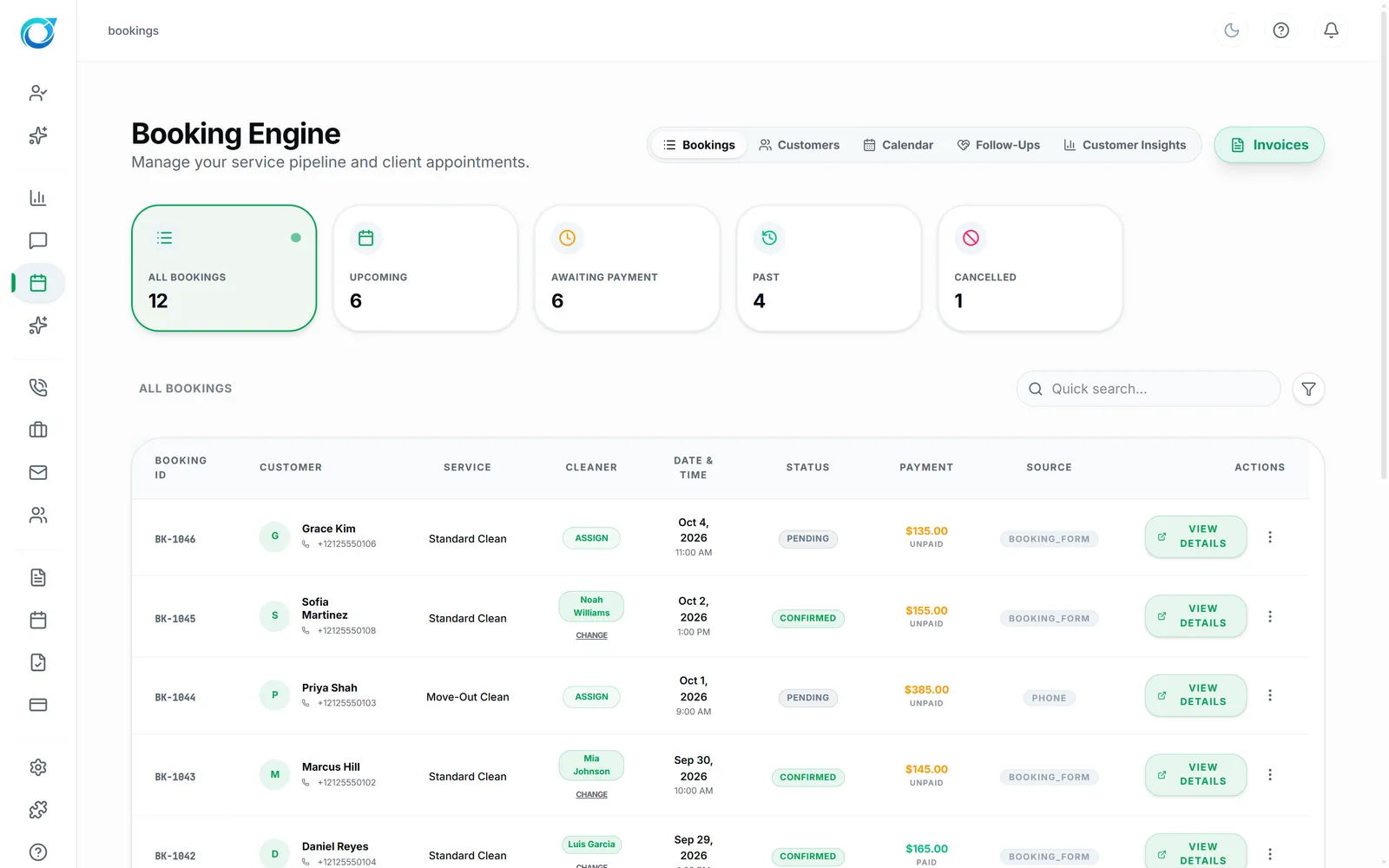
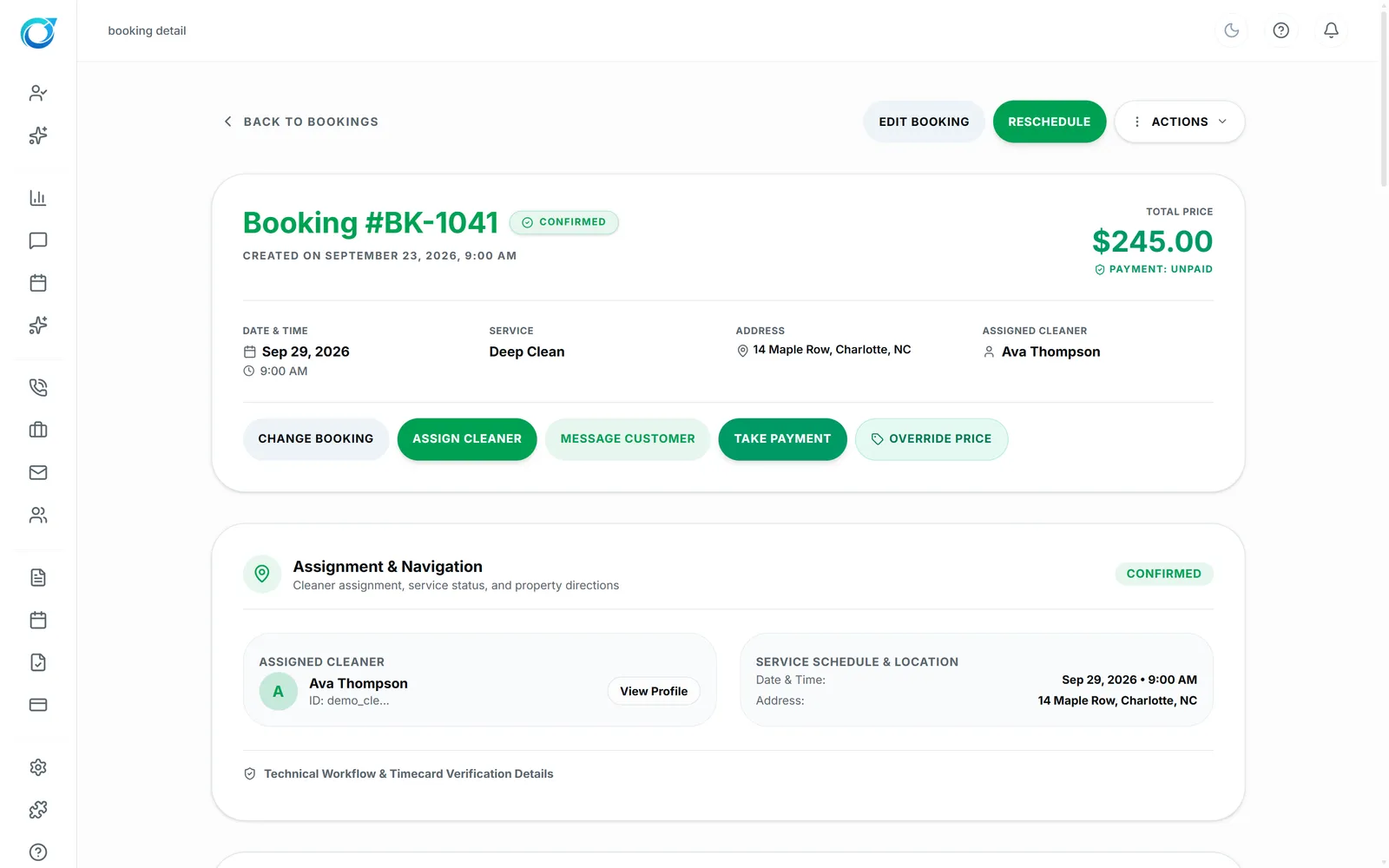
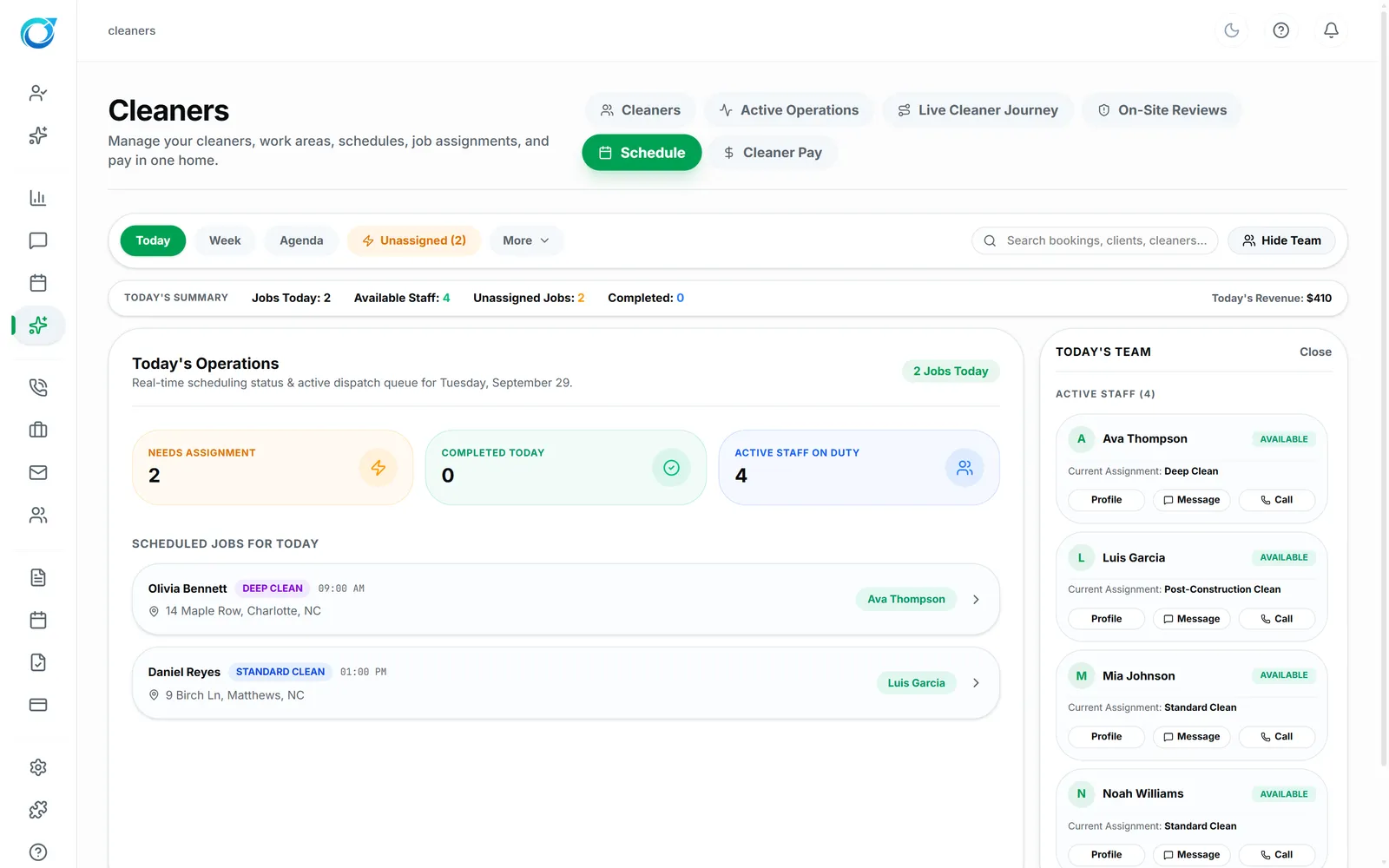
Scheduling cleaners by text is how jobs fall through the cracks. Bookings & Dispatch shows every booking by status, payment and source, in a list or on the calendar, and each booking opens to reschedule, assign a cleaner, message the customer, take payment or override the price.
Assign directly, broadcast the job to every eligible cleaner, or rotate offers one at a time with Round Robin. Offers only go to cleaners who are active, free at that time and serve the ZIP code, and Run Auto-Assign shows a preview before anything changes.
Direct, Broadcast to eligible cleaners, or Round Robin one at a time.
Offers go to cleaners who are active, free and serve the ZIP.
See at a glance which bookings are paid.
Click a screen to enlarge it.
Assign someone directly, broadcast the job to all eligible cleaners, or use Round Robin to offer it one cleaner at a time.
Only cleaners who are active, free at that time and serve that ZIP code.
Yes. The calendar shows who is booked when, next to the bookings list.
Every plan starts with a free trial. Set up your workspace, add your services and see your first leads come in. No card needed to start.