Overdue at a glance
Open invoices past their due date show as overdue.
Track what customers owe and what has been paid. Send an invoice or payment link, mark cash payments, add tips or extra charges, and process refunds.
Real screens from the Cycle Leads app, shown with a demo business.
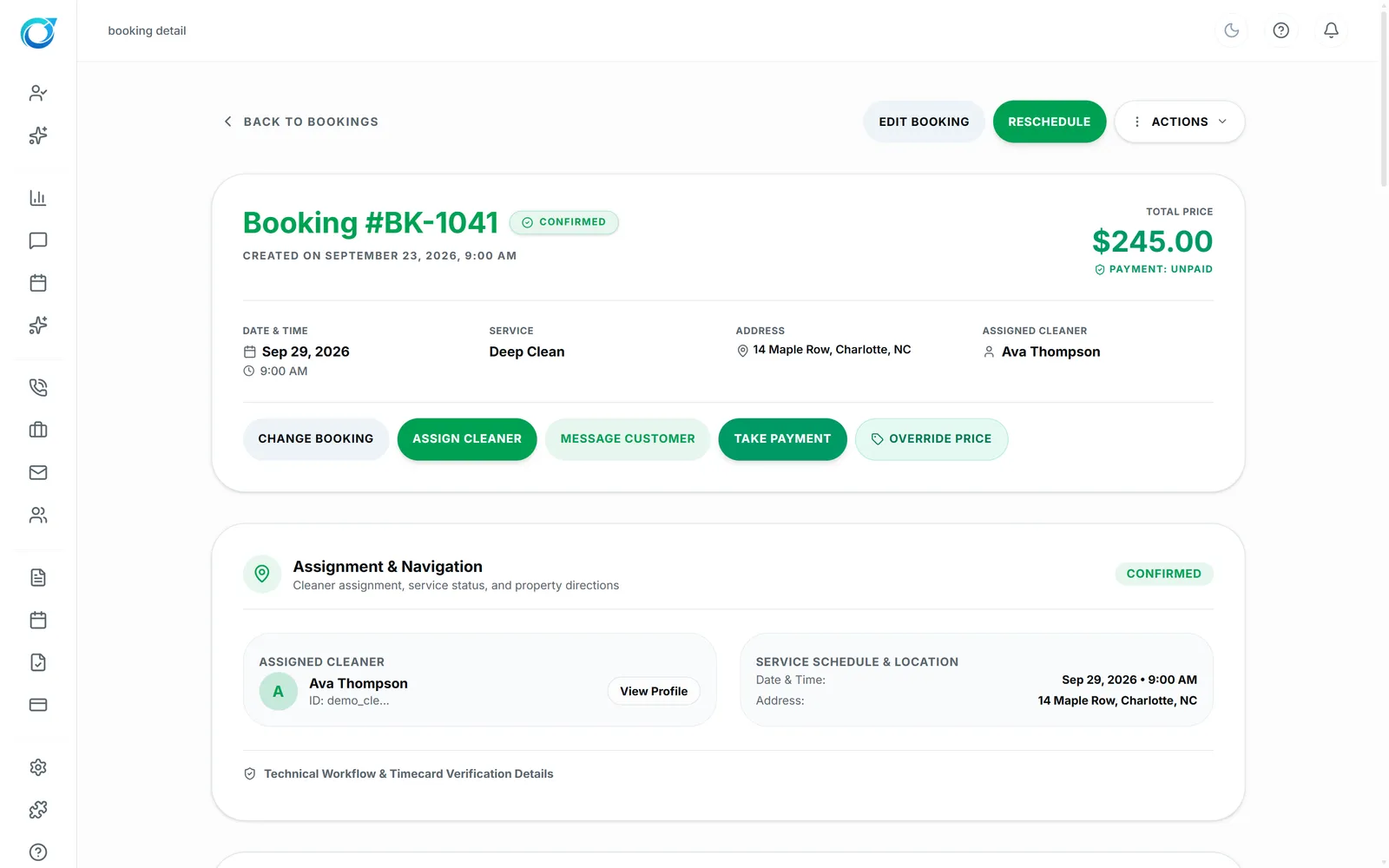
Select a step to see that part of the app.
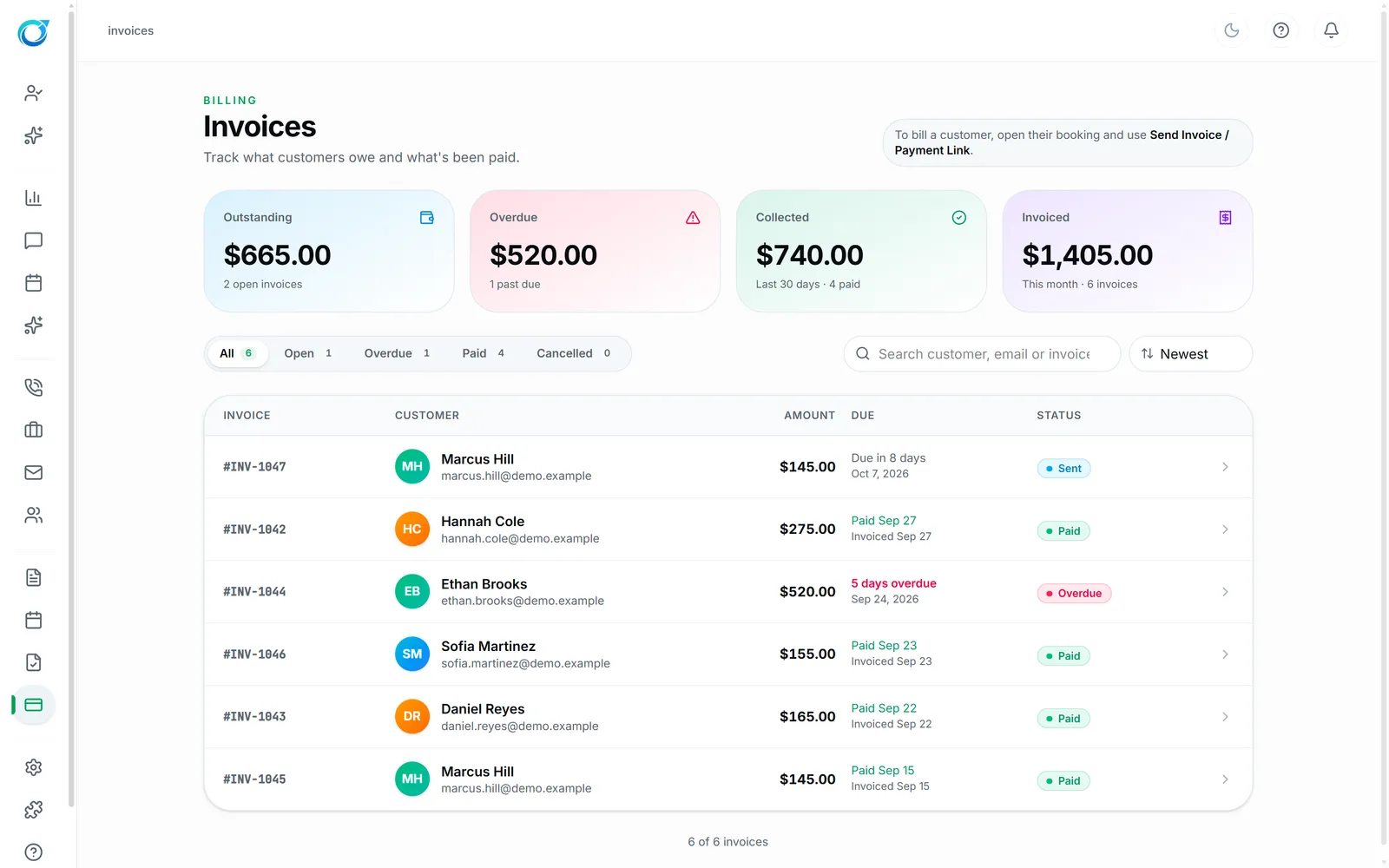
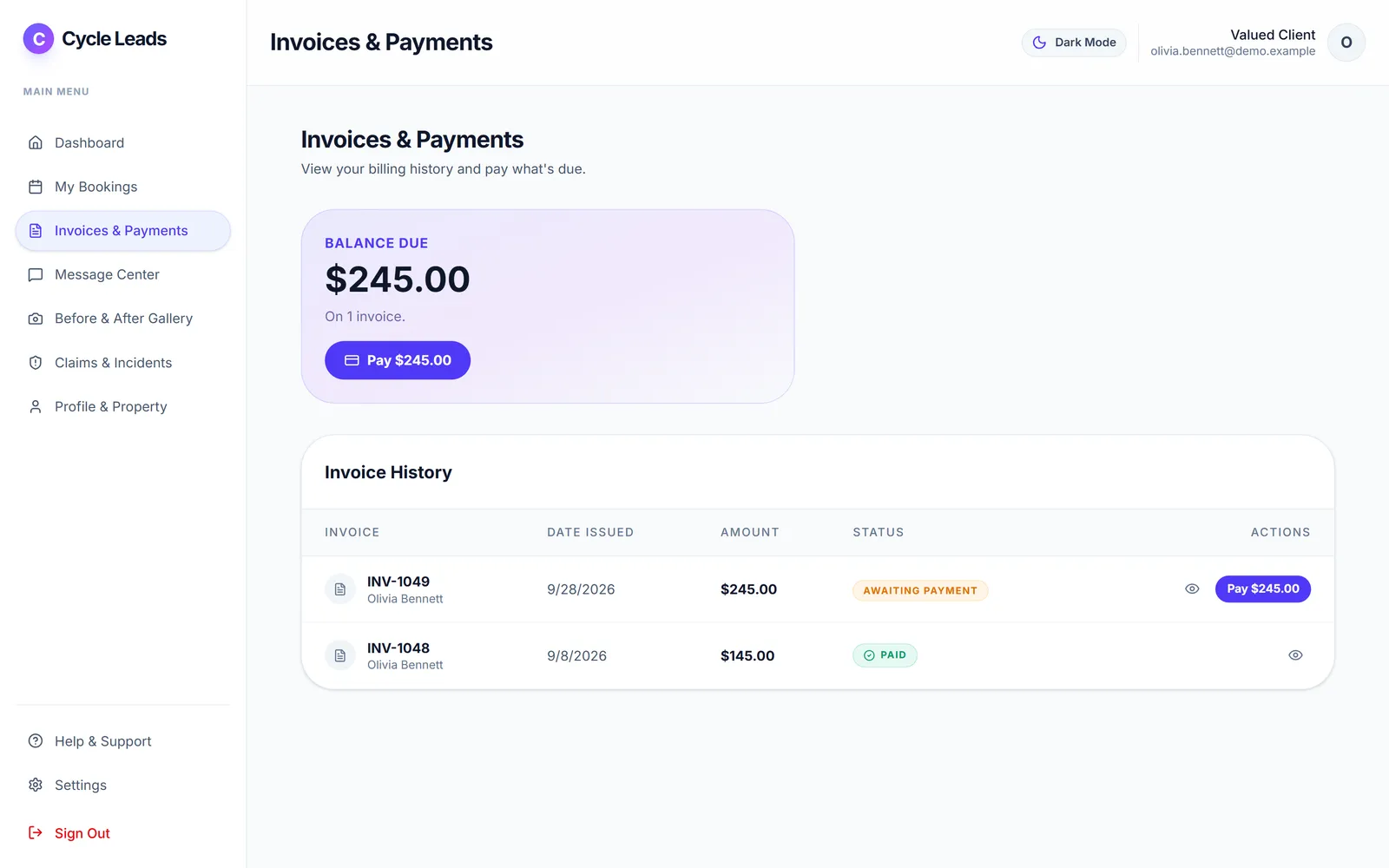
Invoices shows your totals at a glance (Outstanding, Overdue, Collected and Invoiced), then every invoice with its customer, amount, due date and status. Open invoices past their due date show as overdue, so you know who to follow up with.
Send an invoice or payment link, take payment from the booking, mark cash and in-person payments, add tips or extra charges, and process full or partial refunds with a record. Customers can pay open invoices themselves in the Client Portal.
Open invoices past their due date show as overdue.
Card, payment link, or mark cash and in-person payments.
Full or partial refunds with a record.
Click a screen to enlarge it.
Yes. Mark cash and in-person payments as paid, alongside card payments.
Yes. Open invoices past their due date show as overdue, with totals at the top.
Yes. Full and partial refunds are both supported, with a record.
Every plan starts with a free trial. Set up your workspace, add your services and see your first leads come in. No card needed to start.