Least access by default
Set No Access, View Only, Can Edit or Full Admin per module.
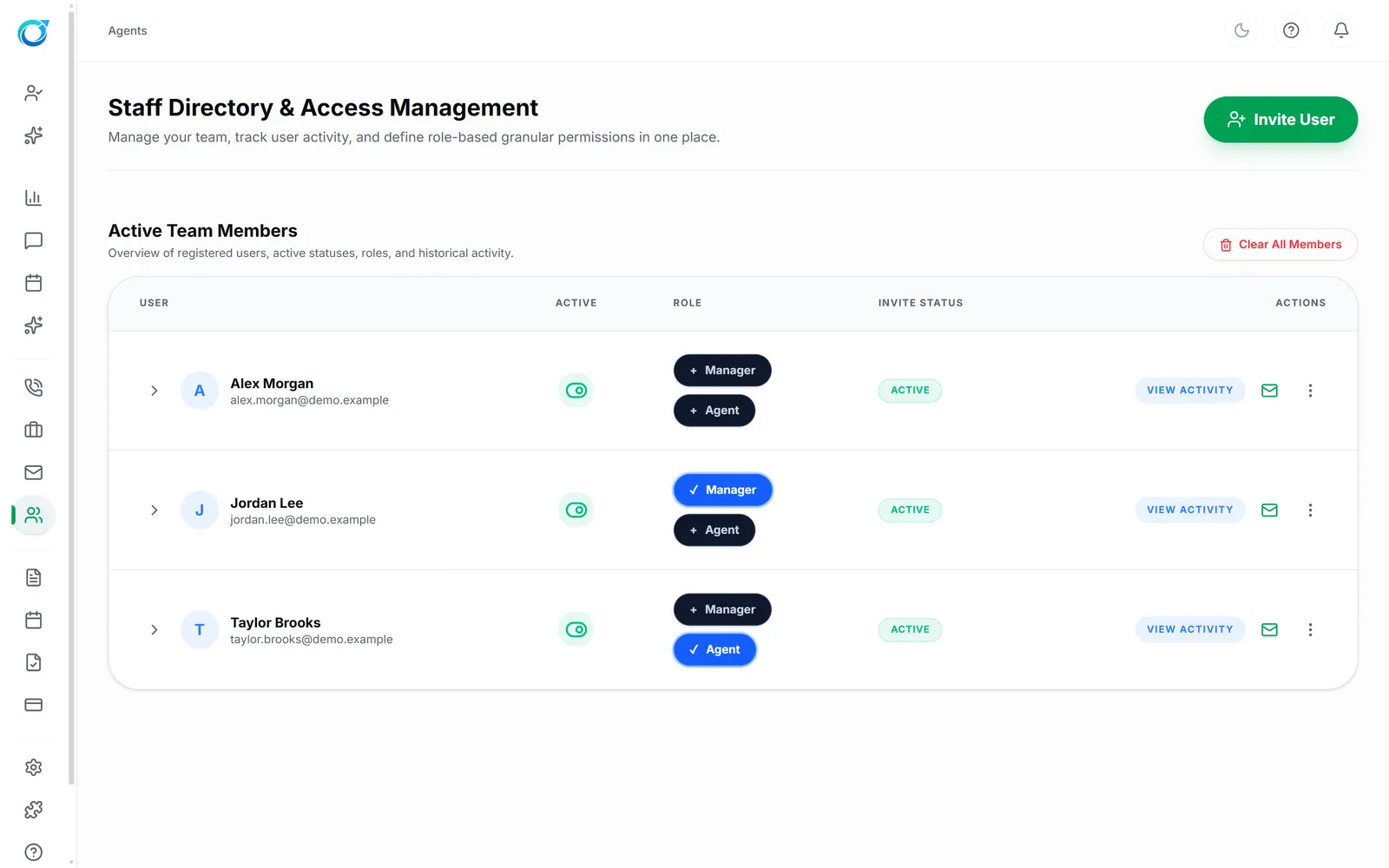
Invite office staff by email, give them one or more roles, and decide module by module what each role can see and change.
Real screens from the Cycle Leads app, shown with a demo business.
Select a step to see that part of the app.
As the office grows, not everyone needs to see pay, pricing or payments. Invite staff by email, give each person one or more roles, and set access module by module: No Access, View Only, Can Edit or Full Admin.
Resend an invite, send a password reset or disable an account in a click, and View Activity shows what each person has done. Cleaners never see the office; they only get their own jobs in the Cleaner Portal.
Set No Access, View Only, Can Edit or Full Admin per module.
Send an invitation, resend it, or reset a password in a click.
View Activity shows what each person has done.
Yes. Set No Access, View Only, Can Edit or Full Admin for each module.
Invite them by email with a role. You can resend the invite or send a password reset at any time.
Yes. View Activity shows what each person has done.
Every plan starts with a free trial. Set up your workspace, add your services and see your first leads come in. No card needed to start.