Fast replies
The assistant answers while your team is busy.
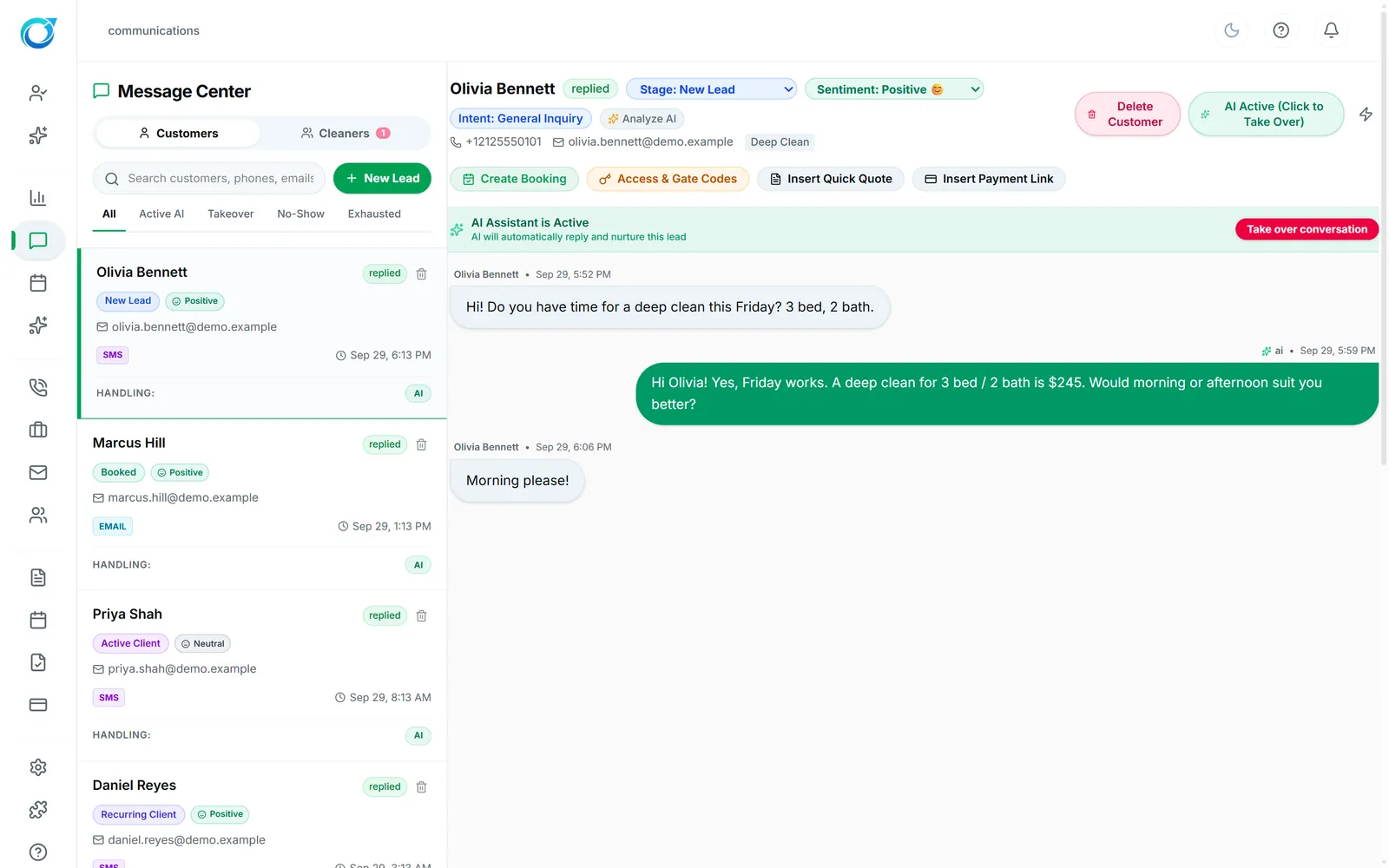
Customer texts and emails and your cleaner chats live in one place. The AI assistant can reply and follow up, and anyone on your team can take over, add an internal note or drop in a quote or payment link.
Real screens from the Cycle Leads app, shown with a demo business.
Select a step to see that part of the app.
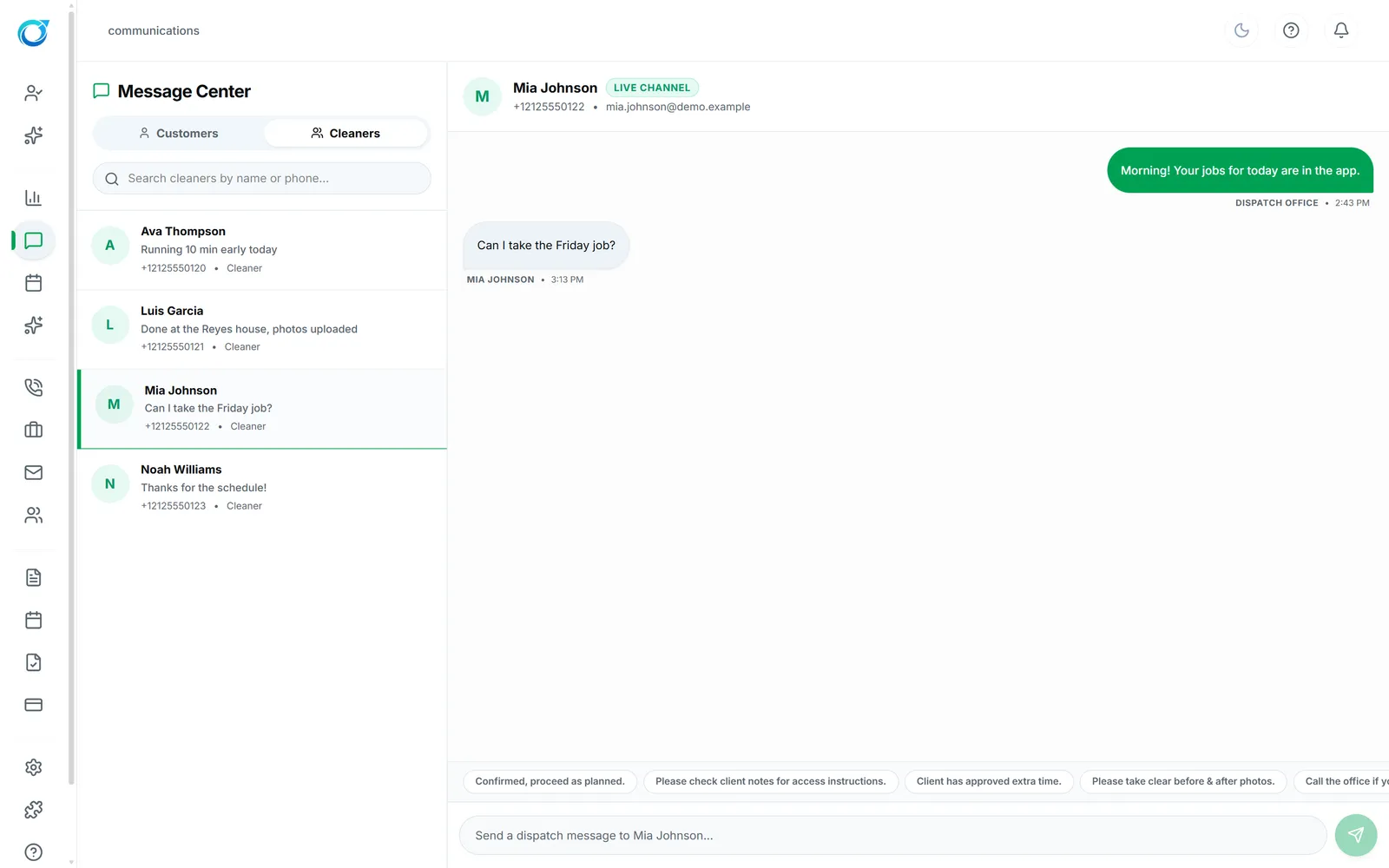
The cleaning company that replies first usually gets the job. Message Center keeps customer texts and emails and your cleaner chats in one inbox, and the AI assistant can reply and follow up while your team is busy cleaning.
Anyone on the team can click Take over conversation and the AI pauses. From the thread you can create a booking, insert a quick quote or a payment link, and leave internal notes. Stage, sentiment and intent sit beside every customer, and filters show who is being handled by AI, who was taken over and who went quiet.
The assistant answers while your team is busy.
Take over any conversation in one click; the AI pauses.
Stage, sentiment, intent and history sit beside the thread.
Texting uses your connected SMS provider; AI replies follow your AI settings.
Click a screen to enlarge it.
Yes. The AI assistant replies and follows up using your settings, and anyone on your team can take over a conversation at any time.
Yes. Insert Quick Quote and Insert Payment Link sit above the thread, next to Create Booking.
Texting uses your connected SMS provider (Twilio), set up on the Integrations screen.
Every plan starts with a free trial. Set up your workspace, add your services and see your first leads come in. No card needed to start.