Signed from any phone
Recipients sign on a secure page, no account needed.
Upload a PDF or write an agreement, place signature, name, date and checkbox fields, and send a signing link. Track each document and download the signed PDF.
Real screens from the Cycle Leads app, shown with a demo business.
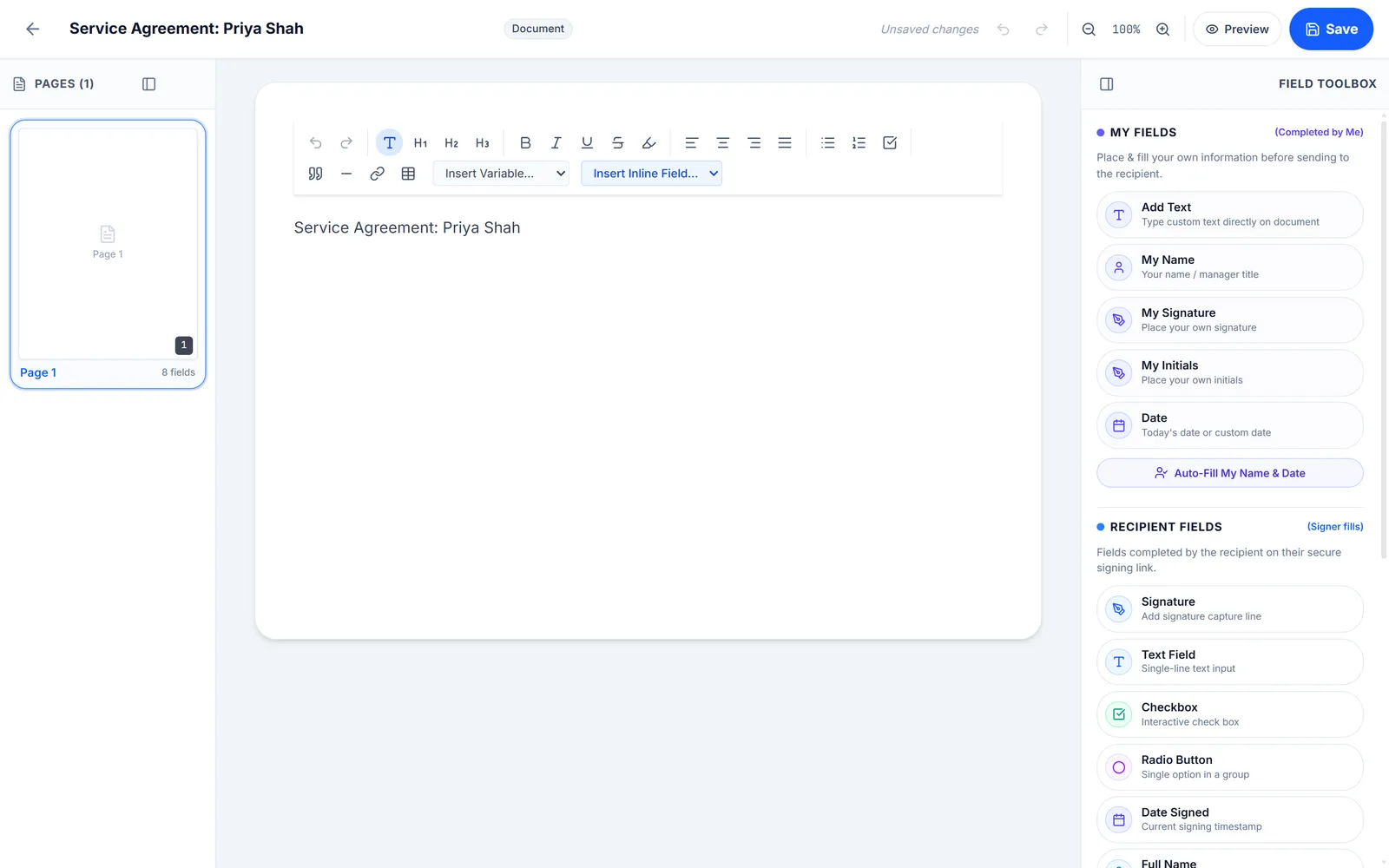
Select a step to see that part of the app.
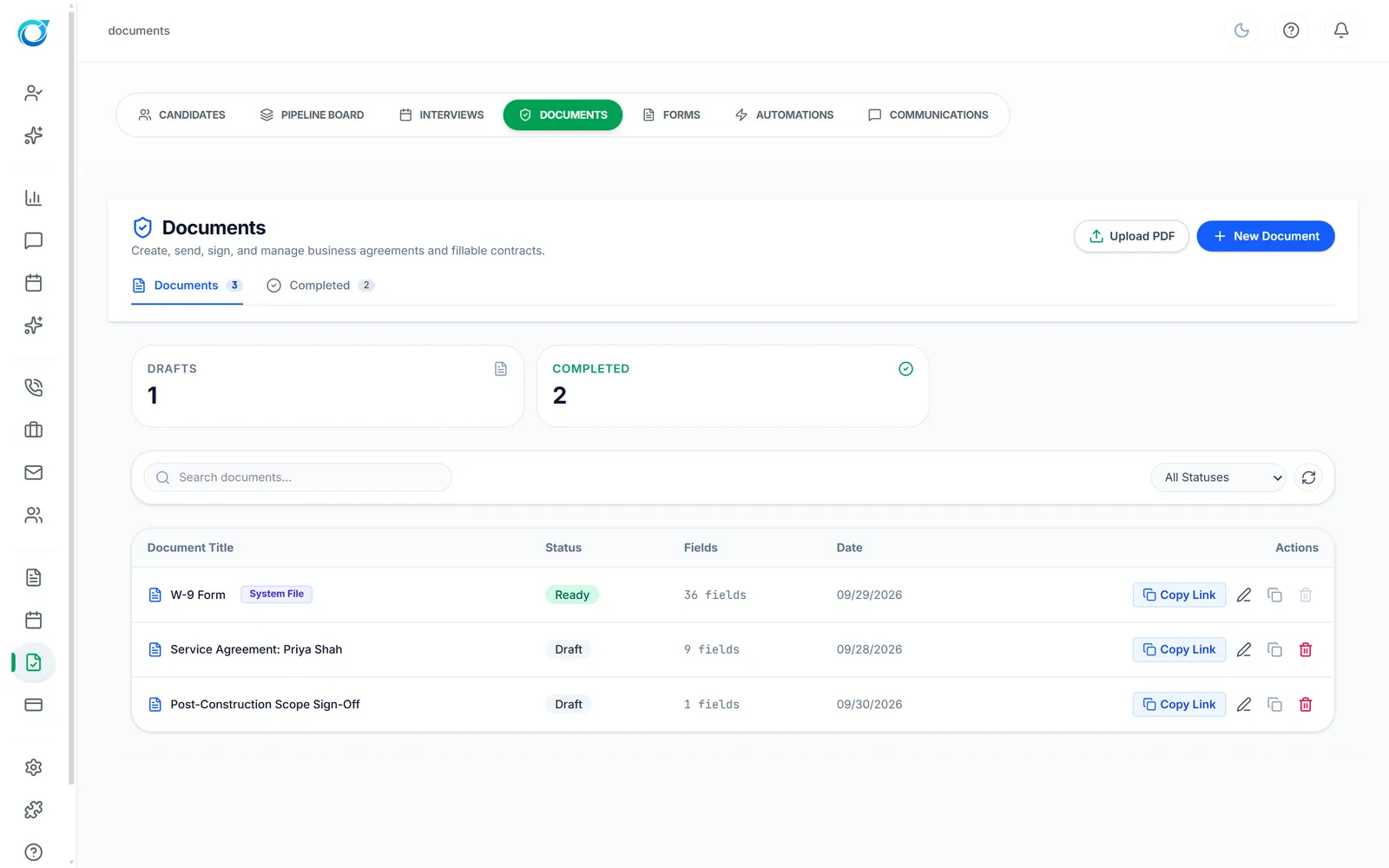
Service agreements, contractor agreements and policies should not wait on a printer. Upload a PDF or create a document from scratch, place signature, name, date, text, checkbox and radio fields, and send a signing link.
Recipients sign on a secure page from any phone, with no account needed. Each document moves from Draft to Sent and Completed, fields can auto-fill from your CRM records, and the signed PDF is ready to download.
Recipients sign on a secure page, no account needed.
Draft, sent, completed, declined or expired.
Fields can auto-fill from your CRM records.
Click a screen to enlarge it.
Yes. Send a signing link. They sign on a secure page from any phone, no account needed.
Yes. Upload a PDF and place signature, name, date, text, checkbox and radio fields on it.
Each document shows its status, from Draft to Completed, and you can download the signed PDF.
Every plan starts with a free trial. Set up your workspace, add your services and see your first leads come in. No card needed to start.