Per-feature control
Message drafting, lead scoring, summaries and more can each use their own model.
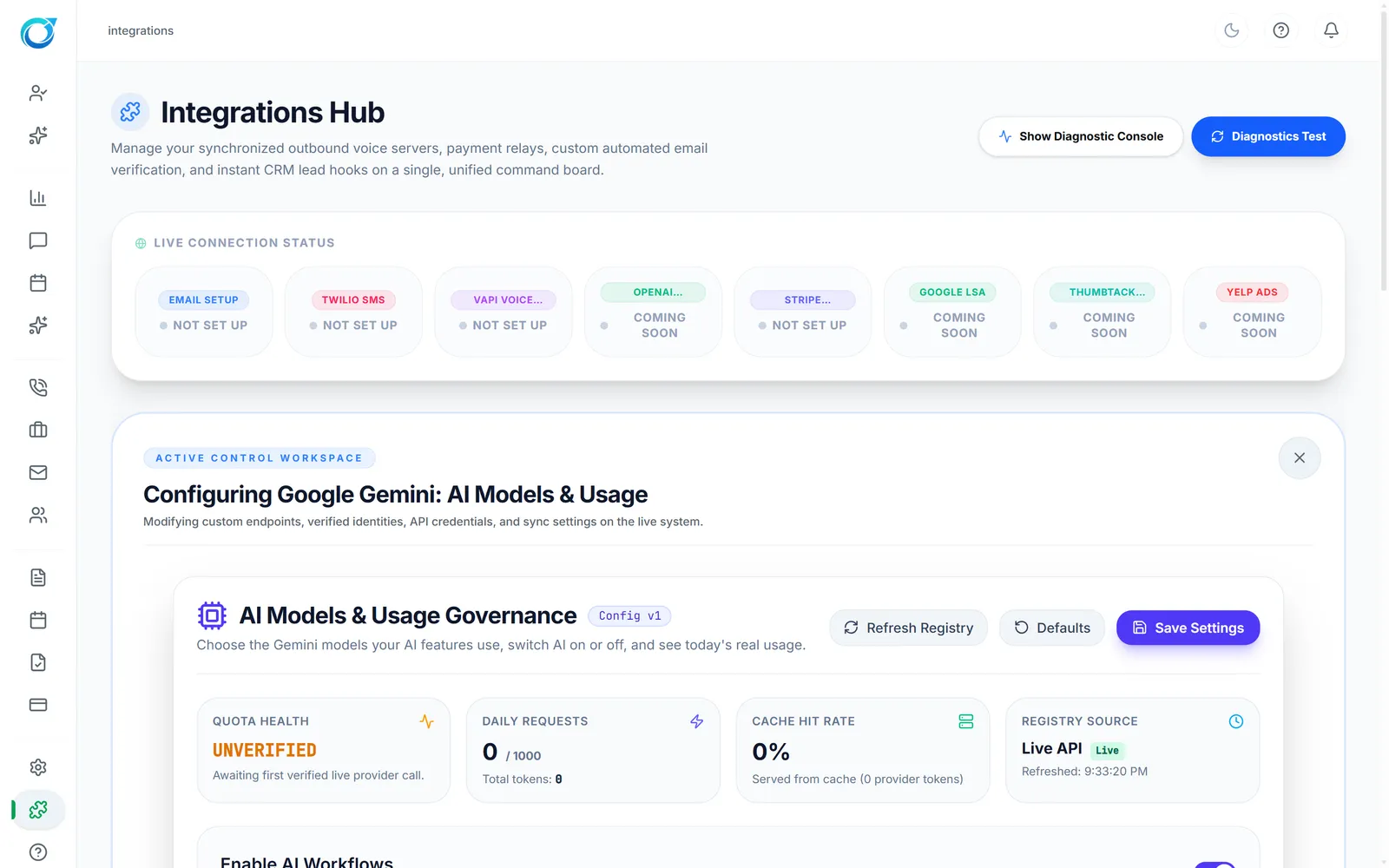
Turn AI workflows on or off, pick the default model and a fallback, choose a model per job such as message drafting or lead scoring, and watch daily requests and quota health.
Real screens from the Cycle Leads app, shown with a demo business.
Select a step to see that part of the app.
You decide how much AI your business uses. Turn AI workflows on or off, pick a global default model and a controlled fallback, and choose a model for each job, such as message drafting, lead scoring or conversation summaries.
Quota health, daily requests and cache hit rate sit above the settings, so you always know how much AI is being used. AI runs on Google Gemini today.
Message drafting, lead scoring, summaries and more can each use their own model.
A controlled fallback model keeps things running.
Daily requests and quota health at a glance.
AI runs on Google Gemini today.
Yes. Enable AI Workflows switches AI on or off for your workspace.
Google Gemini today, with a default model, a fallback model and optional models per feature.
Yes. Daily requests, cache hit rate and quota health are shown on the same screen.
Every plan starts with a free trial. Set up your workspace, add your services and see your first leads come in. No card needed to start.